Purpose/Overview
The Cancel Payments feature allows users to cancel pending payment records in bulk when those payments should no longer be processed. This functionality helps prevent incorrect or unnecessary payments from moving forward in the payment process, ensuring payment accuracy and reducing administrative effort.
Navigation Path:
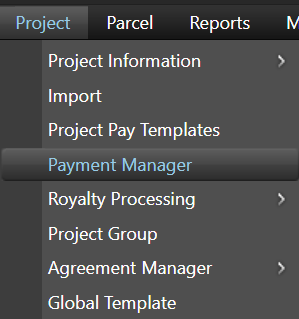
To access this feature: Project > Payment Manager > Search Information Tab > Processing Options Panel
Things to Know:
- Only payment records that are in a pending status can be cancelled.
- The payments available for cancellation depend on the search criteria used to locate the records.
- A Cancel Reason or explanatory comment must be entered before cancelling payments.
- Cancelled payments are removed from further payment processing.
Key Benefits/Use Cases:
Bulk Cancellation of Payments
Allows users to cancel multiple pending payment records at once, reducing the time required to manage payment exceptions.
Preventing Incorrect Payments
Helps prevent payments from being processed when they are no longer valid or required.
Payment Process Management
Provides an audit trail by allowing users to document the reason for cancellation through comments or cancellation notes.
How It Works:
Follow these steps to cancel pending payments:
Step 1: Access the Payment Manager
Navigate to: Project > Payment Manager > Search Information Tab > Processing Options Panel
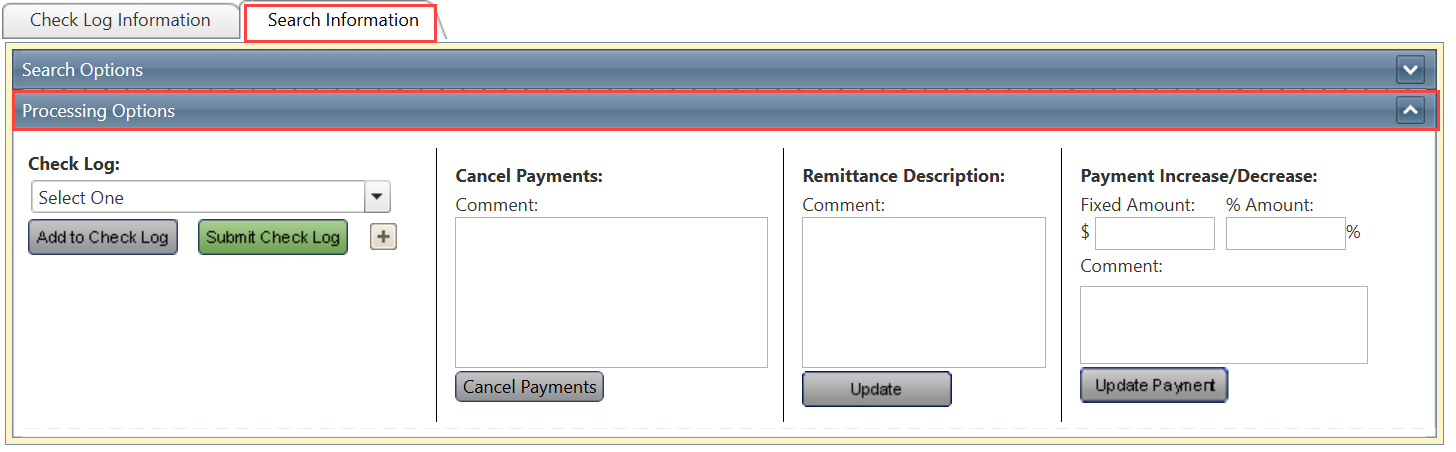
Step 2: Search for Pending Payments
Search for and select the pending payment records that need to be cancelled.

Step 3: Enter a Cancellation Reason
Enter a Cancel Reason or explanatory comment to document why the selected payments are being cancelled.
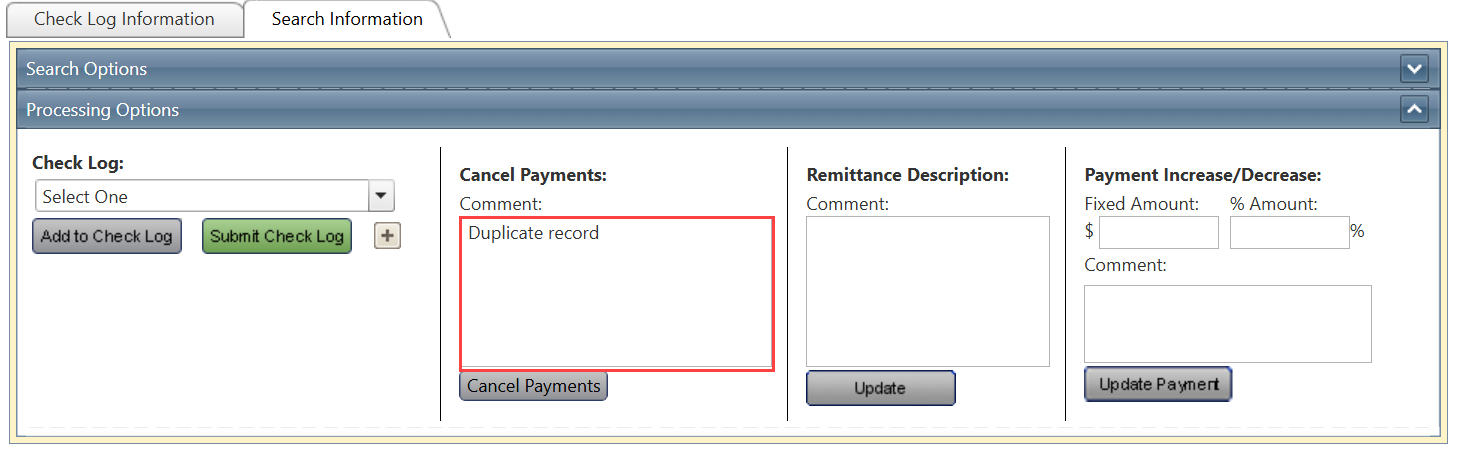
Step 4: Cancel the Payments
Click Cancel Payments.
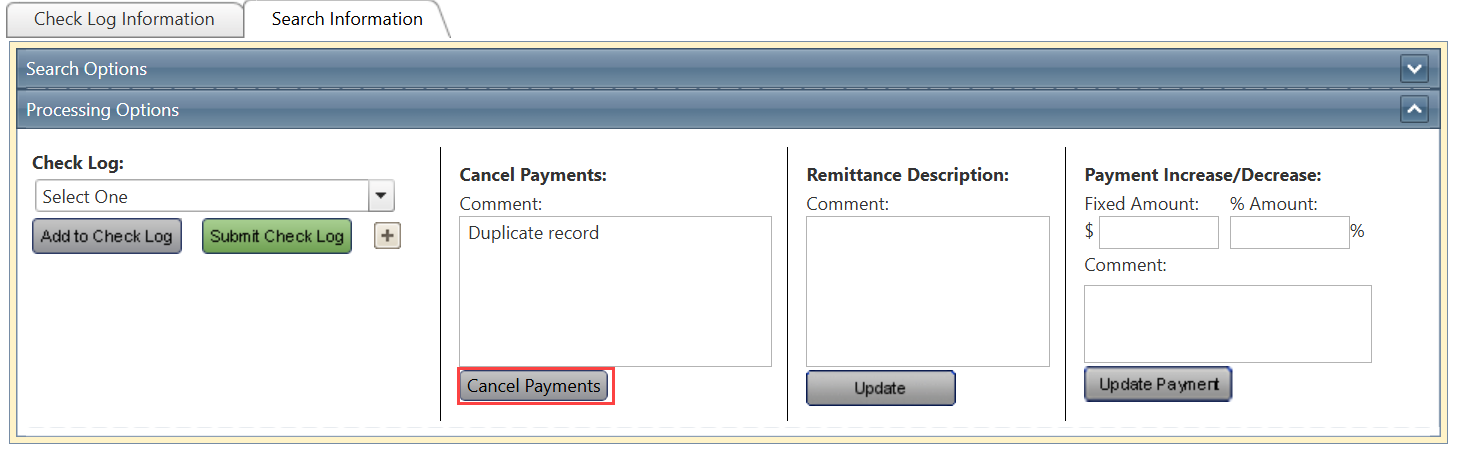
The selected payments are cancelled and removed from further processing.
Related Features/Next Steps:
FAQ/Troubleshooting:
Q: Which payments can be cancelled?
A: Only pending payment records that meet the selected search criteria are available for cancellation.
Q: What happens after payments are cancelled?
A: The selected payments are cancelled and removed from further payment processing.
Q: Why can't I find a payment that needs to be cancelled?
A: Verify your search criteria and ensure the payment is still in a pending status. Only records returned by the current search can be selected for cancellation.
Questions? Contact us!

Was this article helpful?
That’s Great!
Thank you for your feedback
Sorry! We couldn't be helpful
Thank you for your feedback
Feedback sent
We appreciate your effort and will try to fix the article