Purpose/Overview
The Submit Check Log feature allows users to submit a completed payment batch for approval after all required payments have been reviewed and added to the Check Log. Once submitted, the Check Log is routed to the designated approver for review, helping ensure proper payment authorization and approval workflows.
Navigation Path:
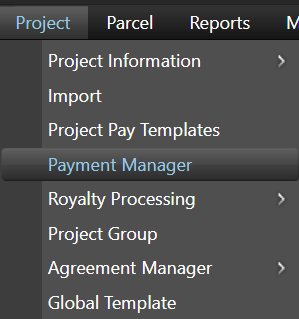
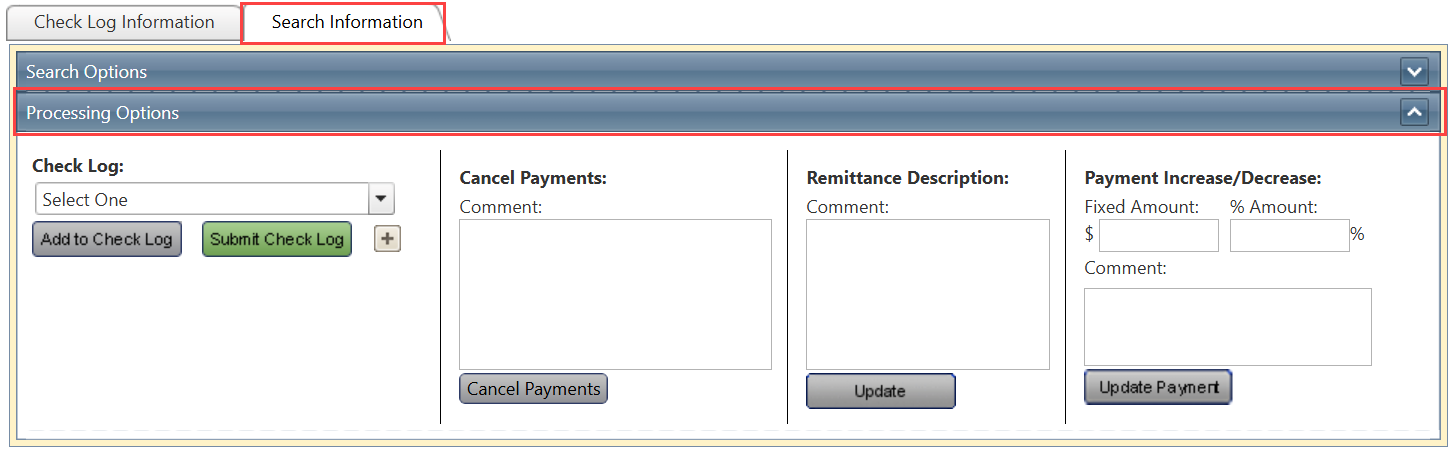
To access this feature: Project > Payment Manager > Search Information Tab > Processing Options Panel
Things to Know:
- Ensure all required payments have been reviewed and added to the Check Log before submission.
- Once submitted, the Check Log status is updated and routed to the designated approver for review.
Key Benefits/Use Cases:
Payment Batch Approval
Submit a completed payment batch to the appropriate approver for review and authorization.
Workflow Management
Automatically updates the Check Log status and routes the batch through the approval process.
Payment Verification
Provides an opportunity to verify all required payments are included before approval is requested.
How It Works:
Follow these steps to submit a Check Log for approval:
Step 1: Access the Processing Options Panel
Navigate to: Project > Payment Manager > Search Information Tab > Processing Options Panel
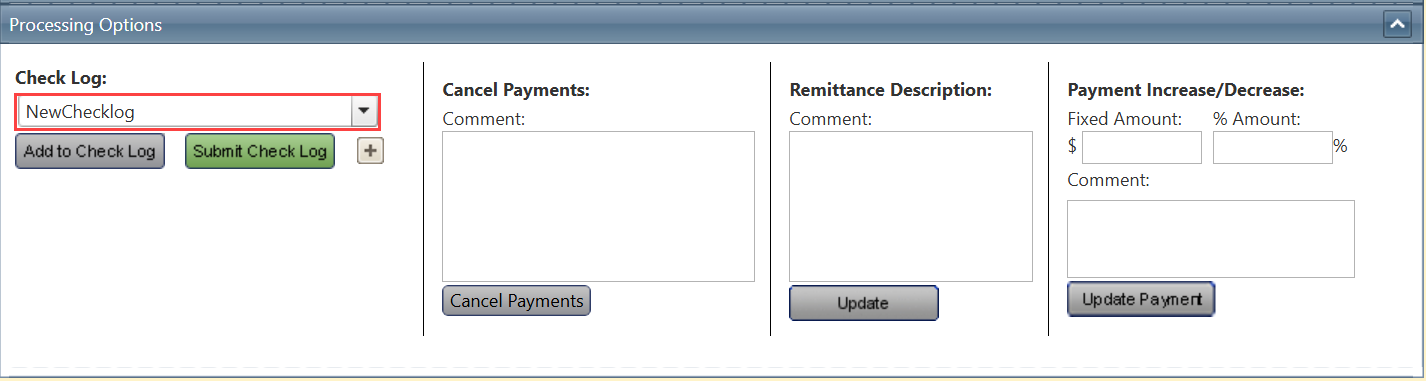
Step 2: Select the Check Log
Select the desired Check Log from the Check Log dropdown menu.
Step 3: Verify Payment Information
Confirm that all required payments are included in the selected batch.

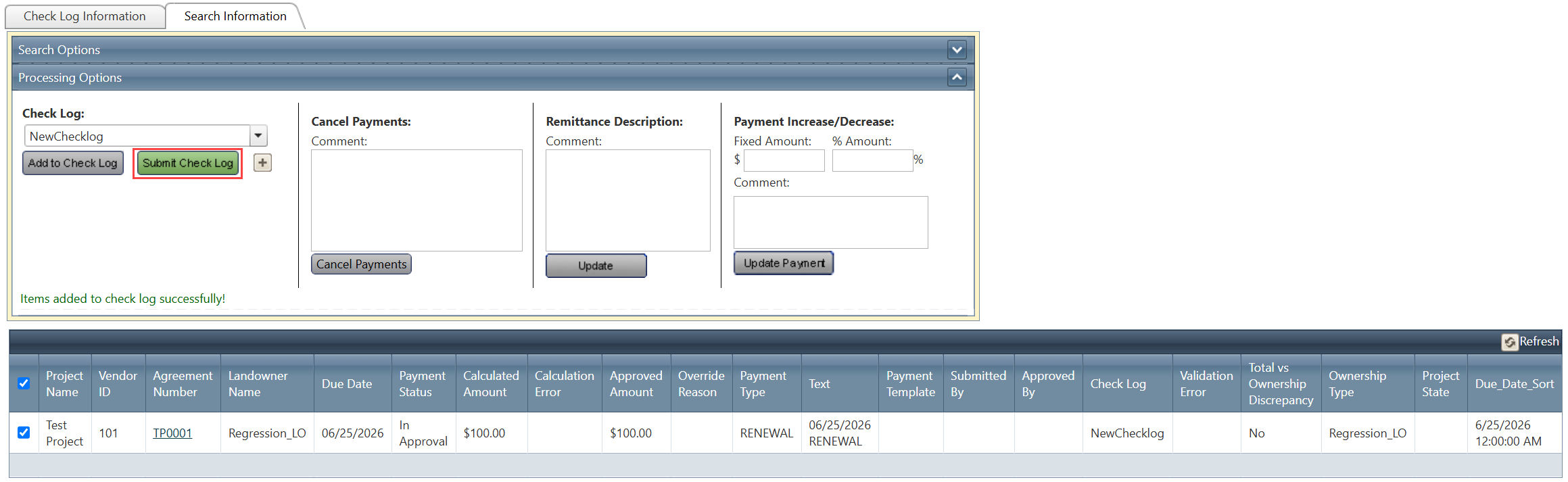
Step 4: Submit the Check Log
Click Submit Check Log.
Related Features/Next Steps:
FAQ/Troubleshooting:
Q: What happens after I click Submit Check Log?
A: The Check Log status is updated, and the payment batch is routed to the designated approver for review.
Q: Should I verify the payments before submitting the Check Log?
A: Yes. Ensure all required payments have been reviewed and added to the Check Log before submission.
Q: Can I submit a Check Log that does not contain all required payments?
A: It is recommended to verify that all required payments are included in the batch before submitting it for approval.
Questions? Contact us!

Was this article helpful?
That’s Great!
Thank you for your feedback
Sorry! We couldn't be helpful
Thank you for your feedback
Feedback sent
We appreciate your effort and will try to fix the article