Purpose/Overview
The Logging In feature allows authorized users to securely access the Irth Land system. It ensures that only users with valid credentials can enter the application, protecting sensitive land and project data. This feature is essential for all users, including administrators, project managers, and operational staff, as it serves as the entry point to the system.
Navigation Path:
To access this feature: Login Page (via URL provided by System Administrator)
Things to Know:
- Users must have valid Username and Password credentials issued by the system administrator.
- Access to features within the system depends on assigned roles and permissions.
- The login process is supported on standard modern web browsers (e.g., Chrome, Edge).
- If credentials are entered incorrectly multiple times, users may experience temporary access restrictions (depending on system configuration).
Key Benefits/Use Cases:
- Secure System Access: Ensures only authorized personnel can access Irth Land, protecting sensitive data.
- Role-Based Entry: Users gain access to features and data relevant to their role after login.
- Centralized Access Point: Provides a single, consistent method for entering the system across all users.
How It Works:
Follow these steps to log in:
- Step 1: Open a web browser.
- Step 2: Enter the Irth Land URL provided by your administrator.
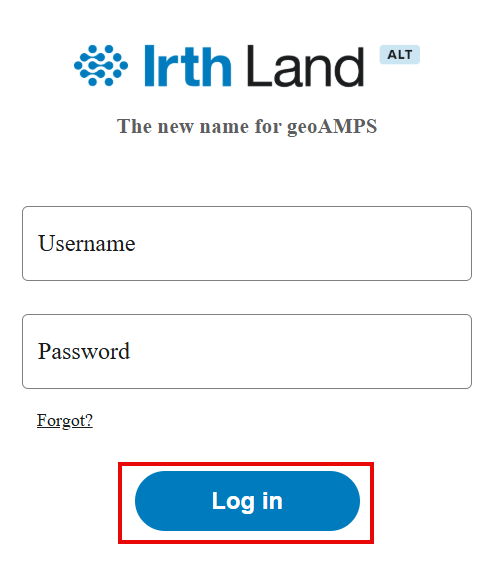
- Step 3: Enter your Username and Password.
- Step 4: Click Login to access the system.
Related Features/Next Steps:
FAQ/Troubleshooting:
Q: What should I do if I don’t have login credentials?
A: Contact your system administrator to request access.
Q: What happens if I enter incorrect login details?
A: The system will deny access. After multiple failed attempts, your account may be temporarily restricted depending on system settings.
Q: Can I access Irth Land from any browser?
A: Yes, the system supports modern web browsers such as Chrome and Edge for optimal performance.
Questions? Contact us!

Was this article helpful?
That’s Great!
Thank you for your feedback
Sorry! We couldn't be helpful
Thank you for your feedback
Feedback sent
We appreciate your effort and will try to fix the article