System Admin can now control access to the updated Digtix UI experience via the 'Has Experimental Access' setting.
OVERVIEW
explore the New UI's features
Users granted access to the new UI will enjoy the flexibility of seamlessly switching between the New and Classic UI experiences. This empowers them to explore the latest enhancements while still having the option to revert to the familiar interface if needed.
By default, individuals will only have access to the Classic UI.
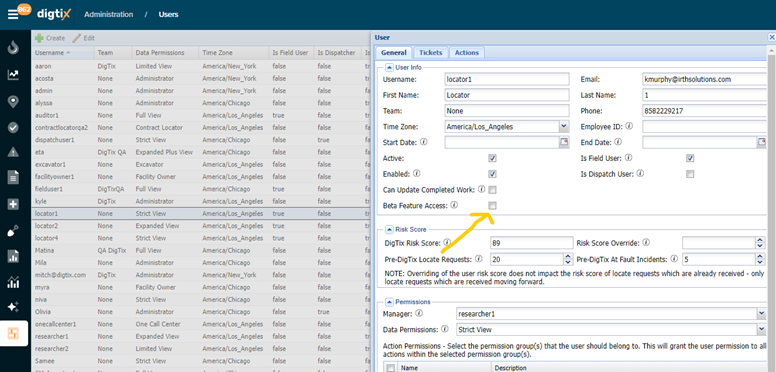
Setting the 'Beta Feature Access' setting:
- From the main menu, select: Administration
- Select: Users
- Double-click your desired user
- Turn on or off the "Beta Feature Access" option.
PREVIEW
Switching Between New UI and Classic Views:
Users who have been granted access to experience the new UI can navigate between the New and Classic views by doing the following:
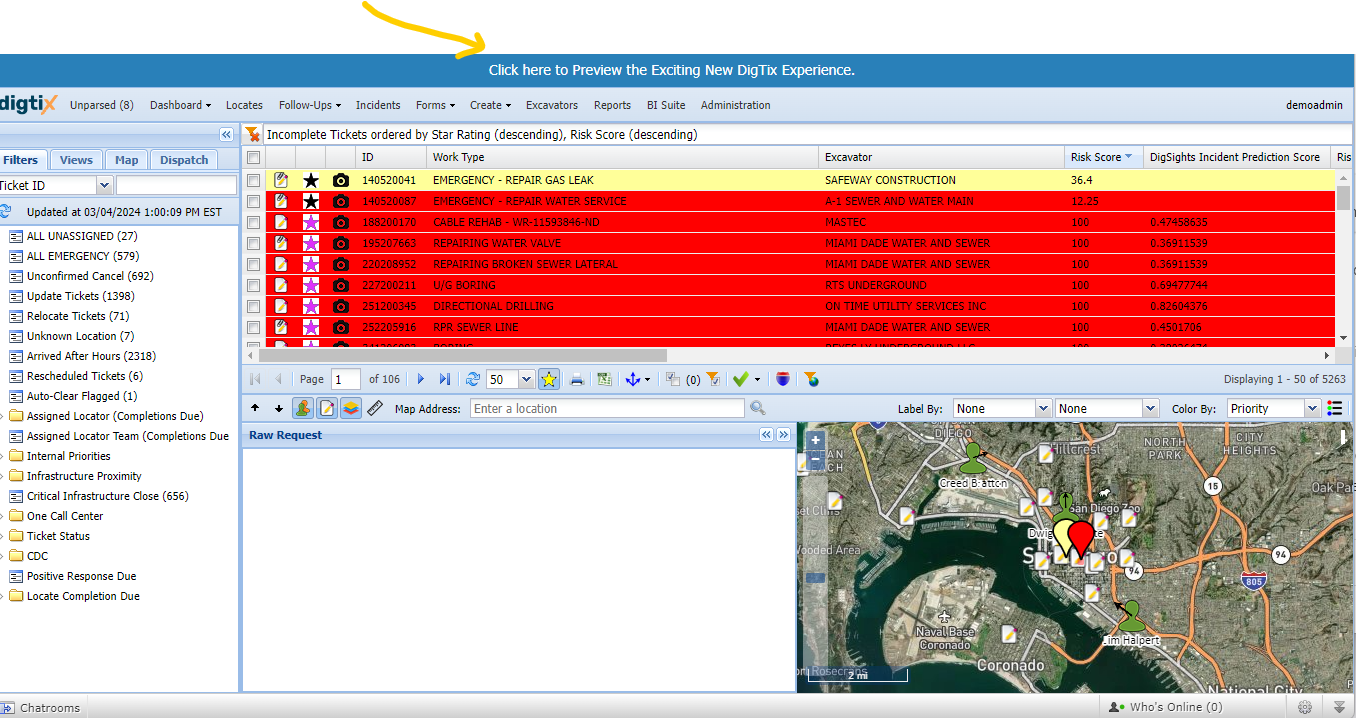
To view the new UI, Select the blue banner at the top of your screen.
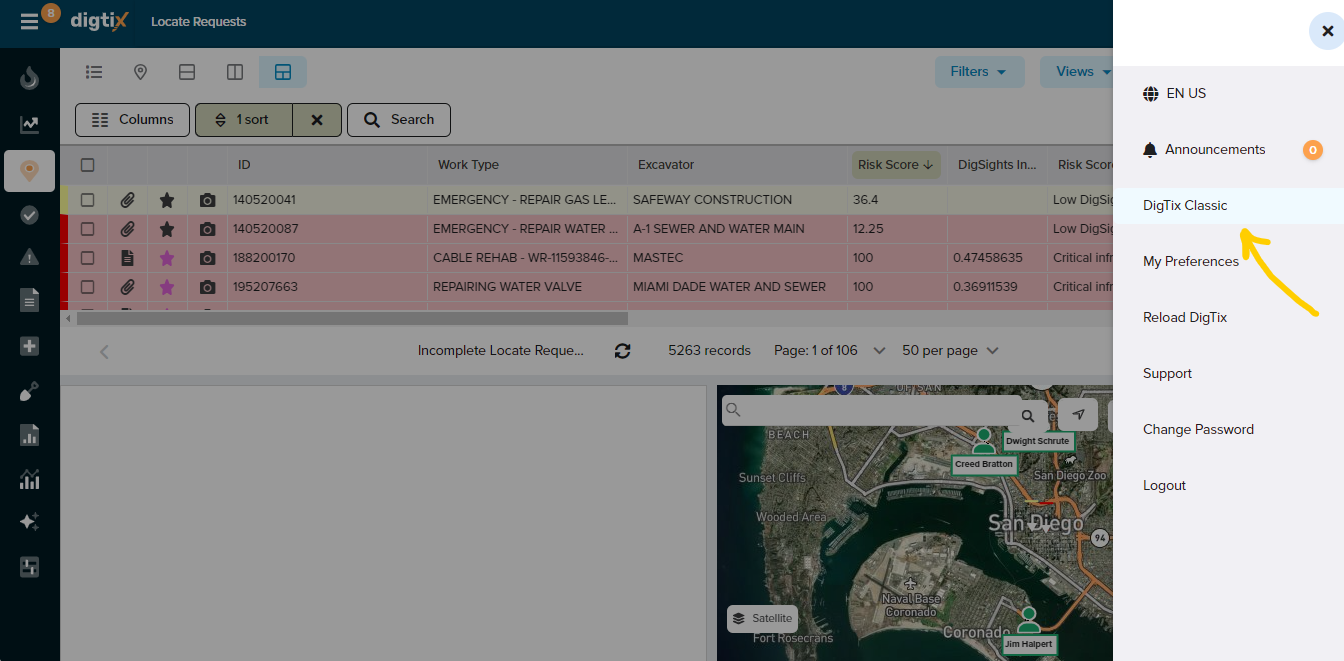
To switch back to the classic view: Select your profile image in the upper-right corner of the screen and select "DigTix Classic".
Was this article helpful?
That’s Great!
Thank you for your feedback
Sorry! We couldn't be helpful
Thank you for your feedback
Feedback sent
We appreciate your effort and will try to fix the article