OVERVIEW
Once a locate request is received by DigTix, it is automatically processed into the system. During this process, DigTix evaluates the contents of the locate request and looks for evidence that the locate request may have been cancelled. If evidence is found, DigTix flags the ticket as an "Unconfirmed Cancellation". Such tickets are easily identifiable within the DigTix application as describe below.
Unconfirmed Cancellations should be regularly monitored and reviewed in order to prevent the waste of time and fuel on a locate request which was issued but no longer needed.
UNCONFIRMED CANCELLATIONS
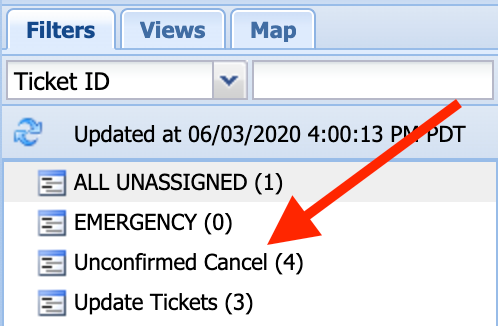
Figure 1: Unconfirmed Cancel Quick Filter
The number (4) next to the Unconfirmed Cancel quick filter indicates that there are four pending tickets that DigTix believes may have been cancelled. Clicking on this quick filter will display only the four associated tickets within the ticket grid for review.
Upon opening the ticket window for a ticket which DigTix believes is cancelled, a special tab is automatically displayed for the user to see. This tab displays the evidence which DigTix found on the ticket which may indicate a cancellation:
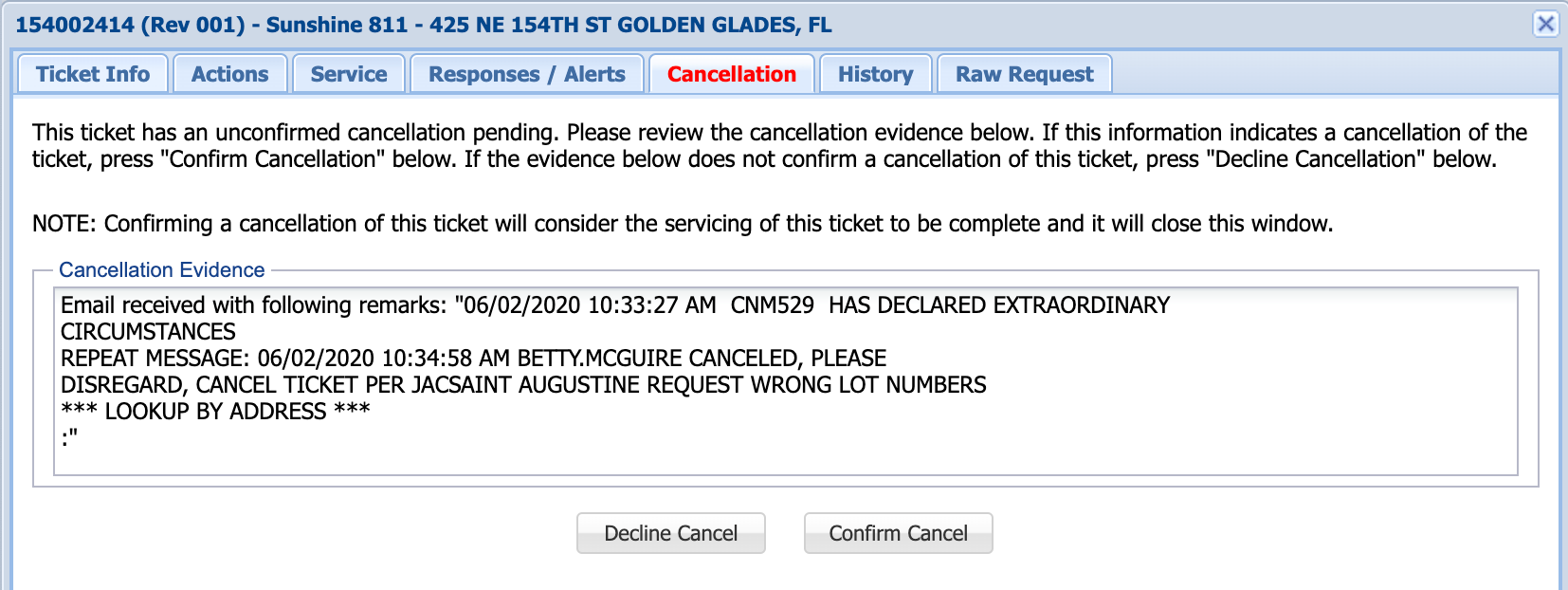
Figure 2: Unconfirmed Cancellation Evidence and Confirmation
If the user decides that the evidence is strong enough to cancel the ticket, the "Confirm Cancel" button should be clicked. This will mark the ticket as a confirmed cancellation, close the ticket window, and remove the ticket from the list of pending tickets.
If the user decides that the evidence does not actually indicate a cancellation, the "Decline Cancel" button should be clicked. This will mark the ticket as not cancelled and the ticket should be completed as it normally would.
Was this article helpful?
That’s Great!
Thank you for your feedback
Sorry! We couldn't be helpful
Thank you for your feedback
Feedback sent
We appreciate your effort and will try to fix the article