DigTix is operational on all devices which supports the latest version of any major, modern browser. This includes:
- Google Chrome.
- Mozilla Firefox.
- Apple Safari.
Microsoft Internet Explorer is not supported. When accessing DigTix on a mobile Apple device (e.g. an iPad or an iPhone), Apple Safari is highly recommended.
All DigTix users must be authenticated via their unique username and secret password to perform any action within DigTix.
To login to DigTix, users should supply their username and secret password in the fields provided on the login page and click the “Login” button. If the username and password combination is correct, they will be provided access to their DigTix account.
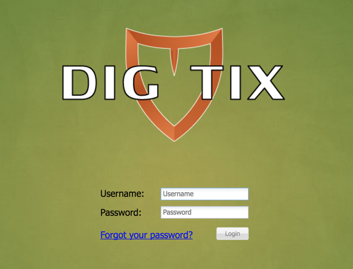
Figure 1: Standard DigTix Login Page
If the username and password combination is incorrect, the user will be notified of the incorrect username and/or password and asked to try again.
If a DigTix user forgets their password, the account can be recovered by clicking on the “Forgot your password?” link as shown below. The user will be prompted for their username and receive an email at the email address associated with that user account. The email will contain a temporary password which the user can use to log in. Upon login with the temporary password, the user will be required to choose a new password to use going forward.
NOTE: It is possible for password recovery emails to be flagged as spam. Users should check their spam and/or junk email folders if they do not receive the email in their standard inbox.
As a security measure, DigTix user accounts may be “locked” after multiple consecutive incorrect login attempts. Locked accounts must be unlocked by a DigTix administrator before additional login attempts may be performed.
Customers who have integrated DigTix with their identity provider for single sign-on (SSO) access will be able to access DigTix via an SSO button below the typical Username and Password fields. Clicking this button will authenticate the user through their integrated identity provider (e.g. Microsoft Active Directory).
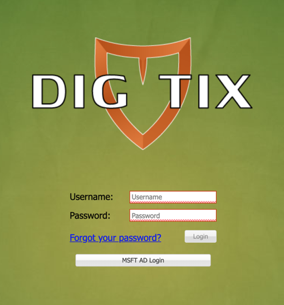
Figure 2: DigTix Login Page with SSO Option
Was this article helpful?
That’s Great!
Thank you for your feedback
Sorry! We couldn't be helpful
Thank you for your feedback
Feedback sent
We appreciate your effort and will try to fix the article