OVERVIEW
This document describes the steps that should be taken to submit a new DigTix support ticket.
SUBMIT A SUPPORT TICKET
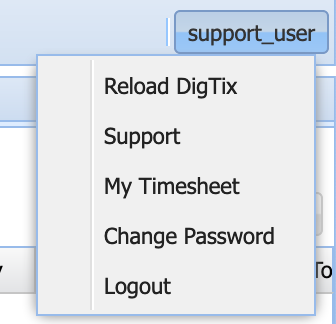
1. Click on the account menu in the top right corner of the DigTix user interface. Within the account menu, click on the "Support" option. Only managers and administrators have the "Support" option in the account menu.
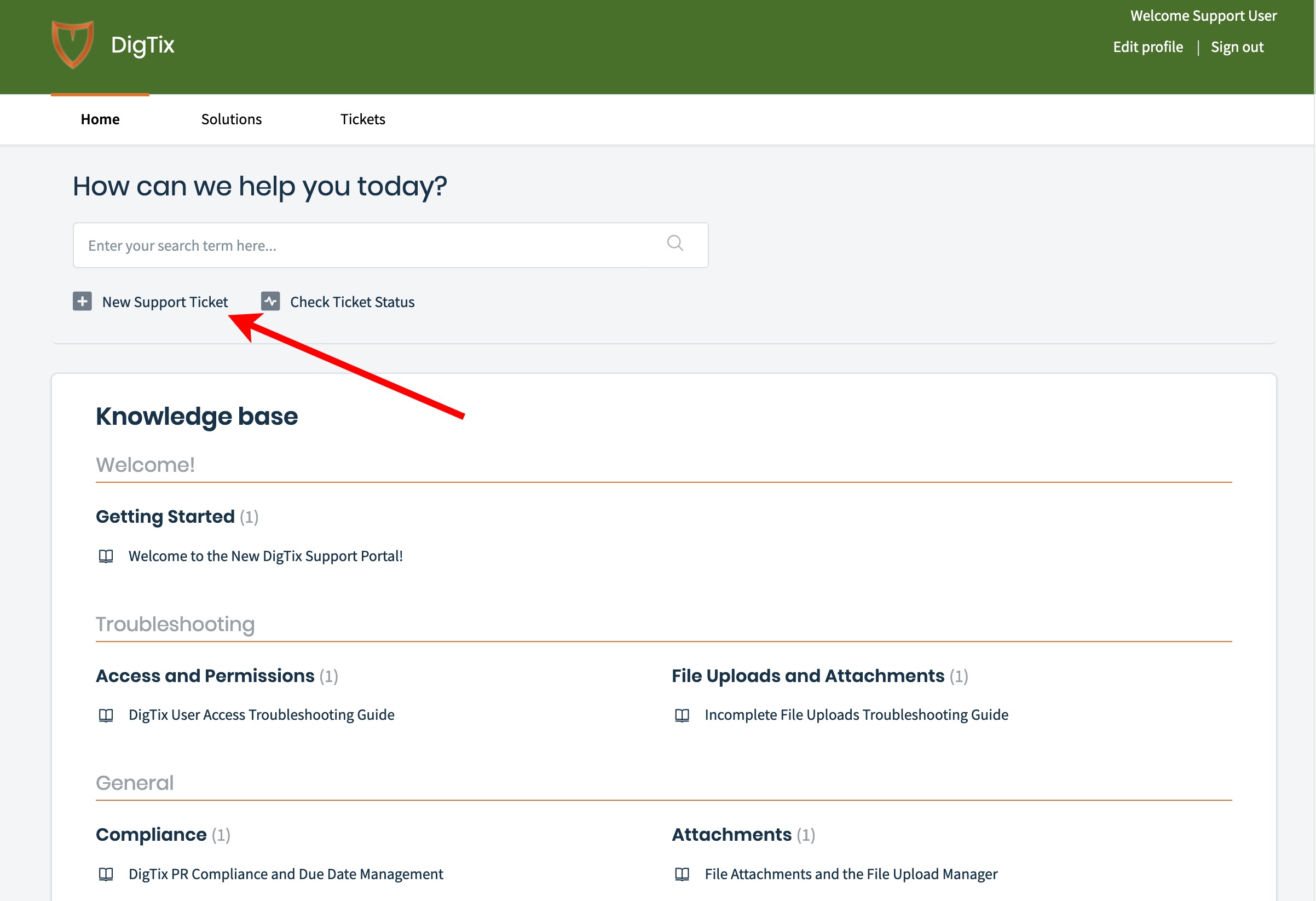
2. On the page that appears, click on the "New Support Ticket" option.
3. Fill out the appropriate information about your support request. As you type your request, knowledge base articles will be recommended on the right side of the page. These articles may be helpful in satisfying your request. Files may be included by attaching them to your request. Attaching screenshots of DigTix is especially helpful to the DigTix Support team when servicing your request.
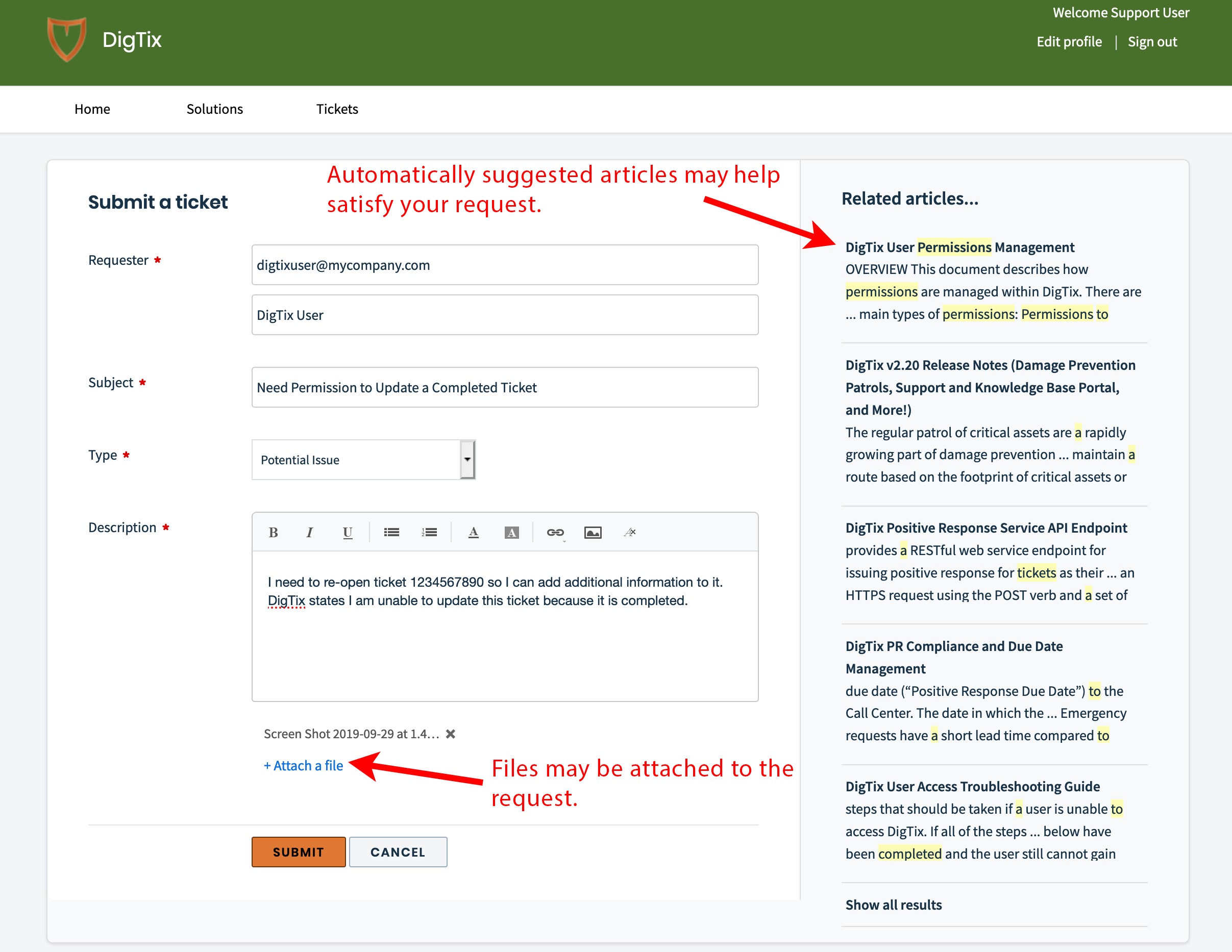
4. Click the "Submit" button at the bottom of the ticket form. The email address supplied on the ticket will be notified as the DigTix Support Team satisfies your request.
Was this article helpful?
That’s Great!
Thank you for your feedback
Sorry! We couldn't be helpful
Thank you for your feedback
Feedback sent
We appreciate your effort and will try to fix the article