OVERVIEW
Once a locate request is received by and processed into DigTix, the ticket must be completed by applying the appropriate close code to each locate request (i.e. CDC) within the ticket.
Only one close code may be applied to a locate request at any given time, however multiple close codes may be applied to a code during the life of the ticket. As a practical example, work on a locate request might be started on Monday but not completed, so an "Ongoing" close code might be applied. If the work is completed on Tuesday, the "Ongoing" close code might be updated to the "Marked" close code.
CONFIGURING CLOSE CODES
Each CDC may have its own distinct set of close codes. Alternatively it may be desired to define the same set of close codes for each CDC.
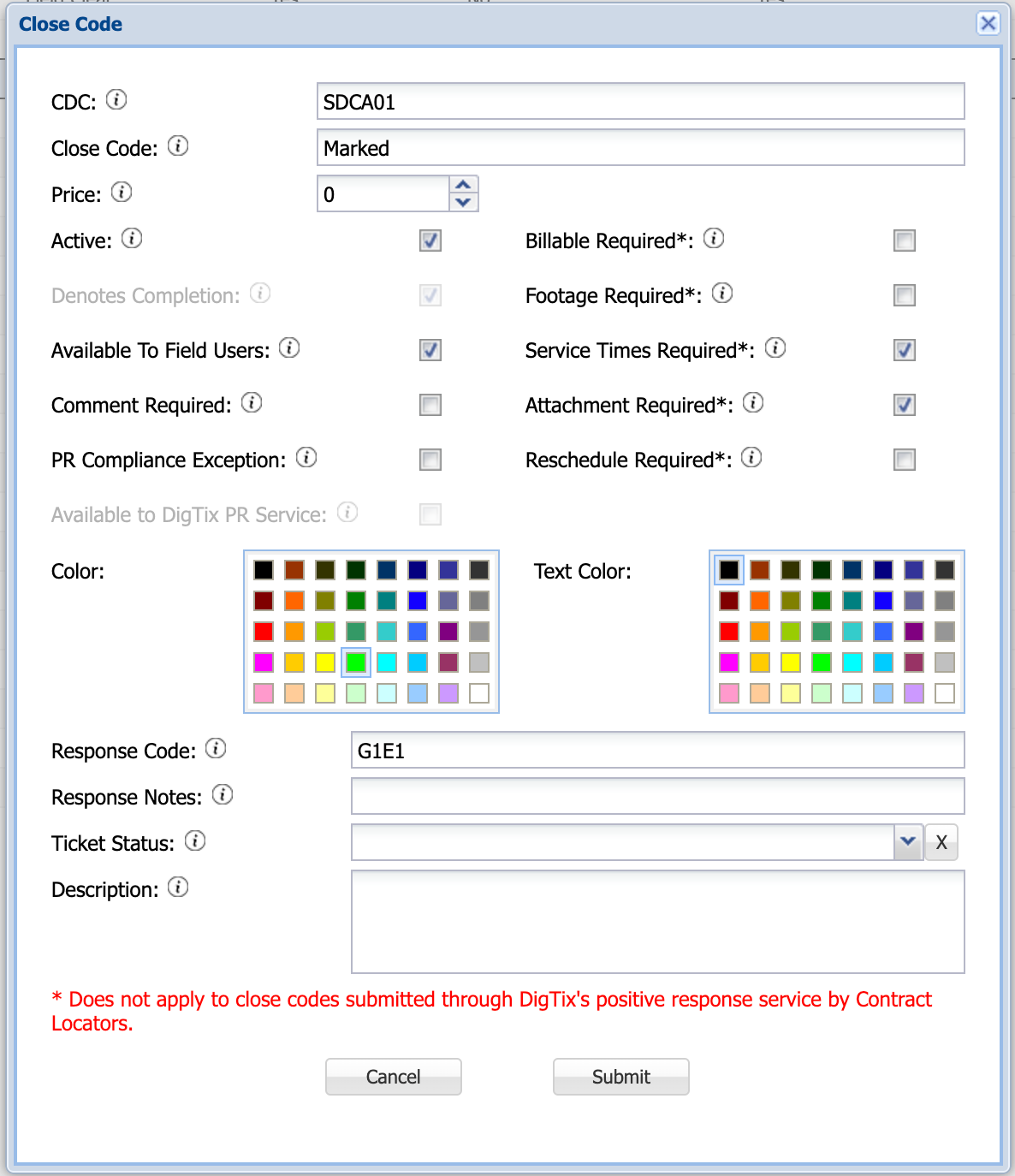
Figure 1: Close Code Configuration
Comment Required: Whether the close code requires a note to be submitted within the "CDC Notes" input field of the locate request. If checked, a comment must be specified before the close code may be applied. If not checked, the close code may be applied without a comment.
PR Compliance Exception: Whether the close code is an exception to positive response compliance (i.e. on-time percentage). Close codes with this exception will make any job "on-time" when applied to that job.
APPLYING CLOSE CODES
Once a Close Code is configured, users may apply the Close Code to locate requests for the CDC which the Close Code is defined for. This is done in the "Service" tab of the ticket window:
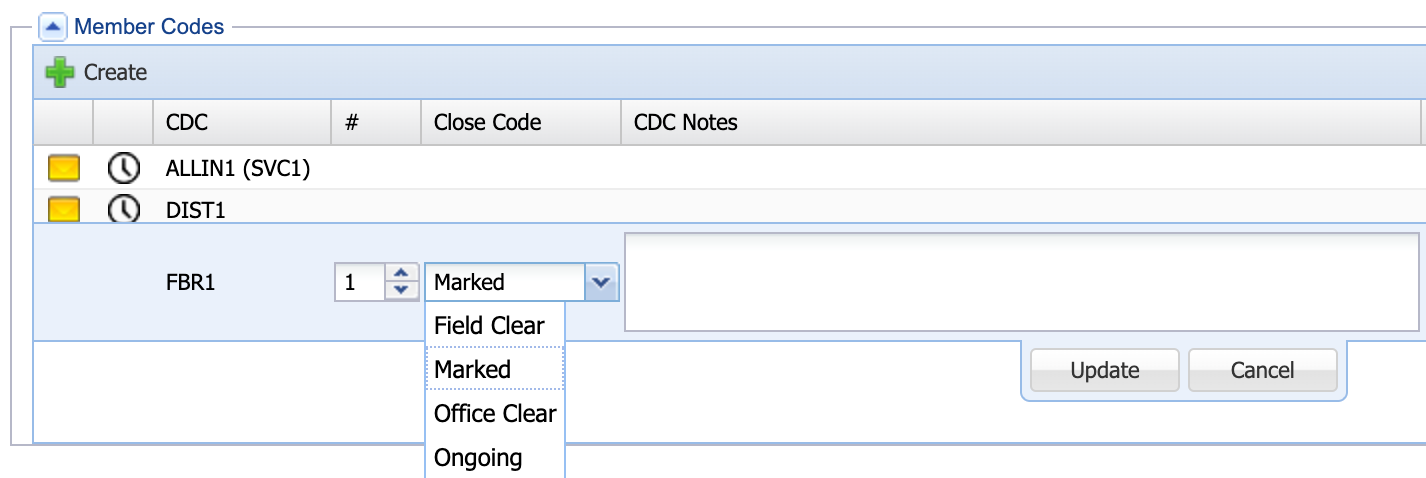
Figure 2: Applying a Close Code to the "FBR1" CDC
Selecting the Close Code and clicking the "Update" button will apply that Close Code to the locate request.
It is important to note that a ticket may involve multiple CDCs. In the figure above, there are three CDCs: FBR1, DIST1, and ALLIN1. The ticket may not be considered complete until all three CDCs have Close Codes applied which "Denotes Completion". For example if two CDCs have a "Marked" Close Code applied but the third CDC has an "Ongoing" Close Code applied, the ticket itself may not be completed until the "Ongoing" Close Code is updated to another Close Code which denotes completion.
Once all CDCs are completed, the ticket itself may be completed by applying the appropriate ticket status. Ticket statuses are configured within the "Ticket Statuses" section of the DigTix Administration page.
RESPONSE CODES
A Close Code may (optionally) have a response code associated with it. Whenever a close code is applied to a locate request, DigTix checks if a response code is associated with that close code. If there is a response code configured, DigTix will send that response code via system integrations to third parties such as 811 call centers, excavators, or utility operators. This allows other stakeholders to be kept up to date of the progress on each locate request. One of the most common industry responses is referred to as "Positive Response". More information on positive response and compliance can be found in the article DigTix PR Compliance and Due Date Management.
Integrations in which response codes are sent can include email, RESTful API, SFTP, SOAP, and more. Integrations to third party systems are developed, configured, and monitored by the DigTix team.
Response codes which are sent to third parties are logged within the "Responses / Alerts" tab of the ticket window.
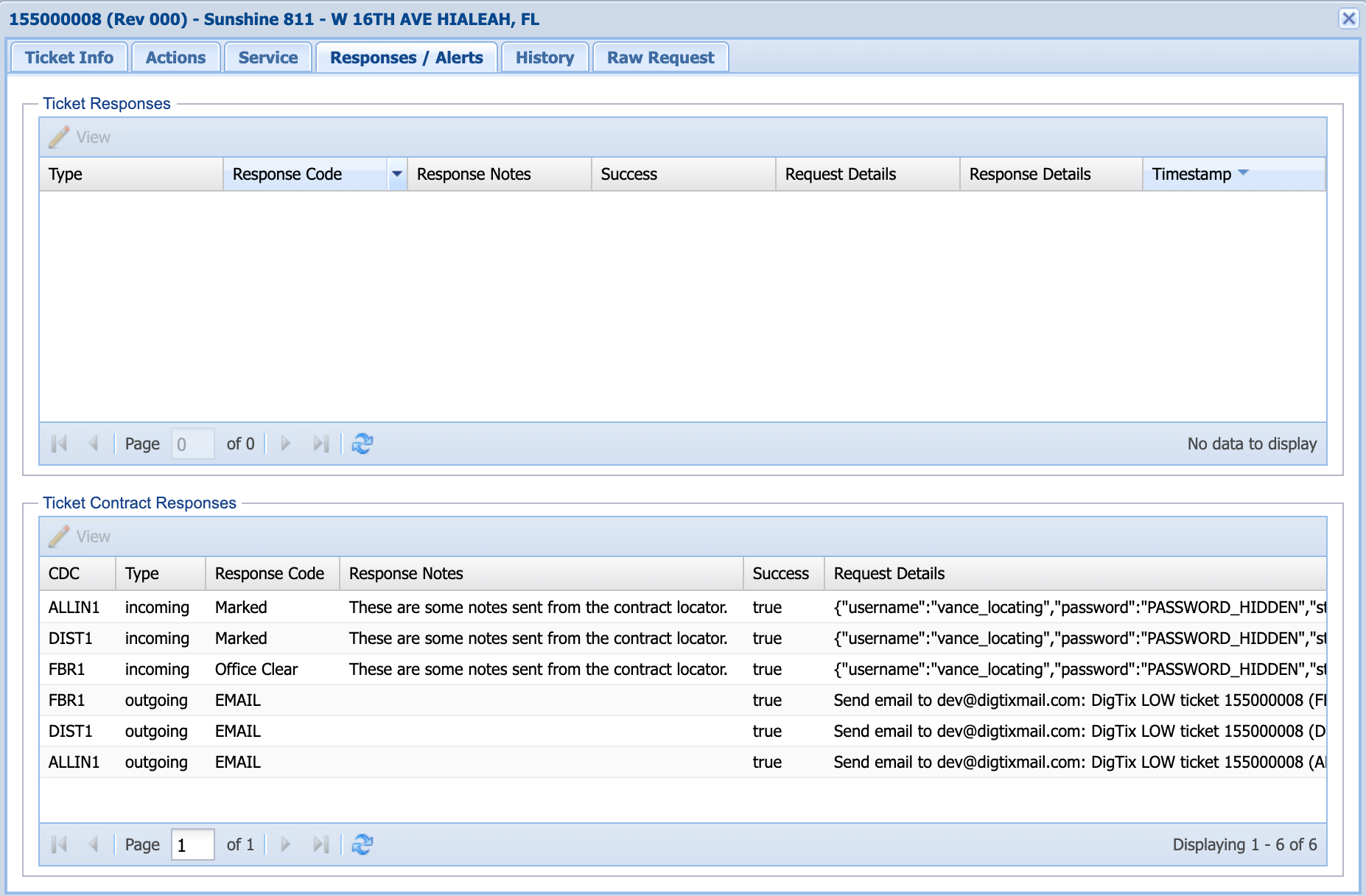
Figure 3: Viewing a Ticket Response Log
REPORTING AND ANALYTICS
Close codes are commonly used for reporting purposes related to productivity, compliance, and forecasting. It is very important to define your close codes in a way that will support your desired reporting strategy and provide a way to answer your business intelligence performance and quality metrics. For example if you'd like to track each time a locate request could not be satisfied due to not being able to access the work site, a "No Access" close code might be desired. It is also important to maintain consistency across your close codes. For example, avoid defining a "No Access" close code for one CDC and a "Cannot Access" close code for another CDC. Such configuration would result in multiple records within reports despite both close codes representing the same event.
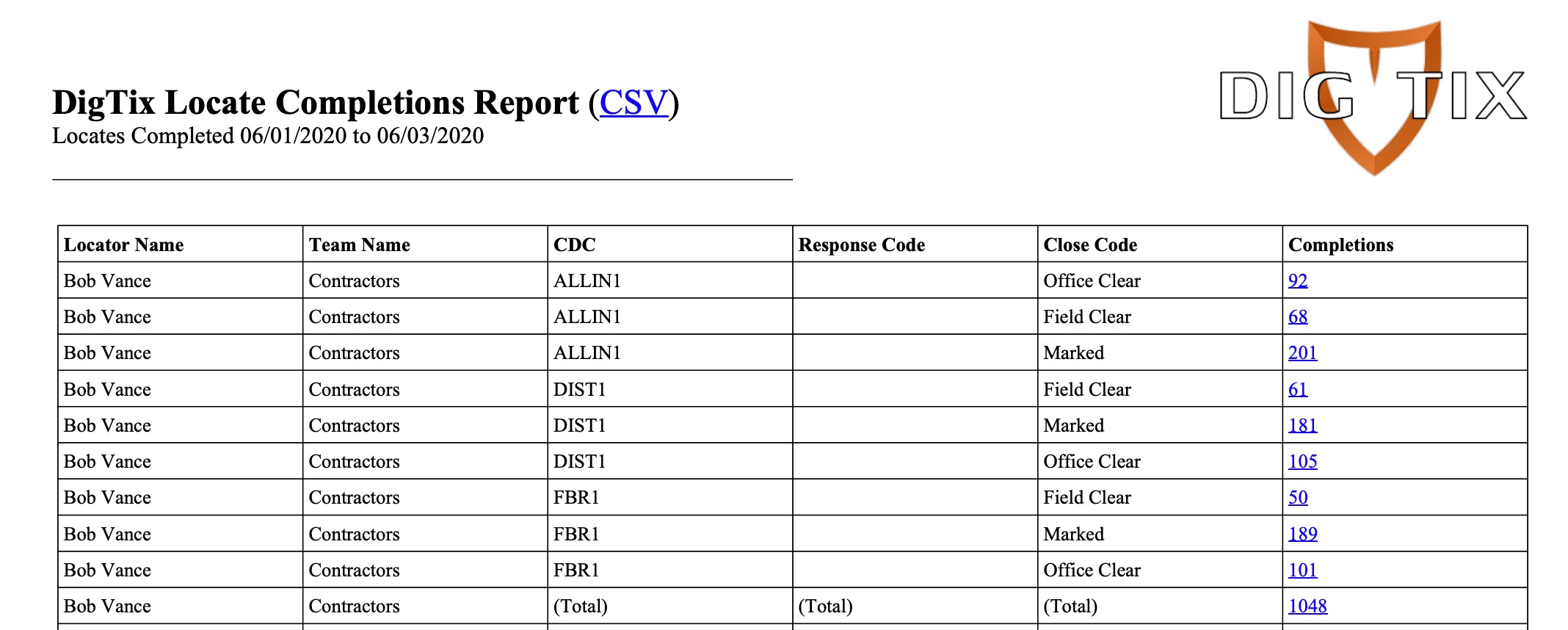
Figure 4: Productivity Report Based on Applied Close Codes
Was this article helpful?
That’s Great!
Thank you for your feedback
Sorry! We couldn't be helpful
Thank you for your feedback
Feedback sent
We appreciate your effort and will try to fix the article