Purpose/Overview
The Project Search Bulk Updates feature allows users to update the archive status of multiple projects simultaneously from the Project Search results page. This feature helps streamline project management by eliminating the need to archive or restore projects individually.
Archiving serves as a soft-delete mechanism. Archived projects remain available for searching and viewing; however, they are removed from active project lists and from the active project views of assigned users. This functionality helps organizations maintain cleaner project lists while preserving historical project information.
Navigation Path:
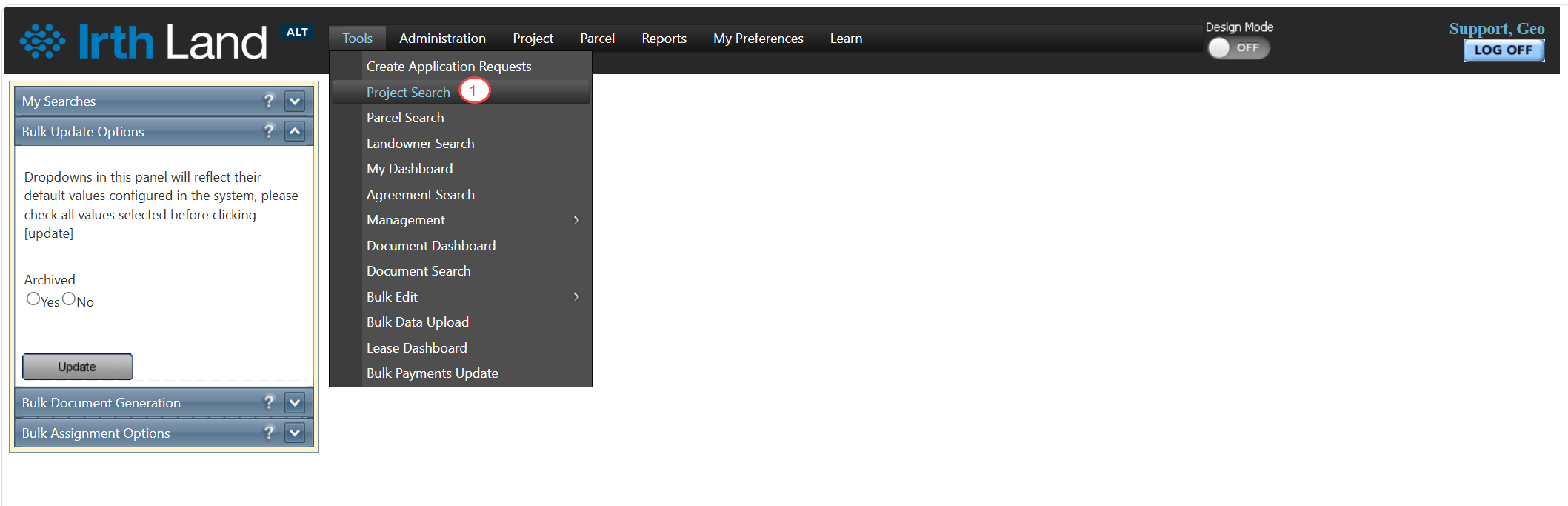
To access this feature: Tools > Project Search
Run a project search to display project records and access the available bulk update options.
Things to Know:
- Archiving does not permanently delete a project.
- Archived projects can still be searched and viewed.
- Archived projects are removed from active project lists and assigned users' active project views.
- Projects can be restored at any time by removing the archive status through the bulk update process.
Key Benefits/Use Cases:
Archive Multiple Projects at Once
Quickly archive several completed, inactive, or obsolete projects in a single action, reducing administrative effort and improving efficiency.
Restore Archived Projects
Easily remove the archive status from multiple projects when they need to become active again.
Maintain Organized Project Lists
Keep active project lists focused on current work while retaining access to historical project records for reference and reporting purposes.
How It Works:
Follow these steps to archive or un-archive projects:
Step 1: Run a Project Search
Navigate to Tools > Project Search and use the available search filters to locate the desired projects.
Step 2: Select Project Records
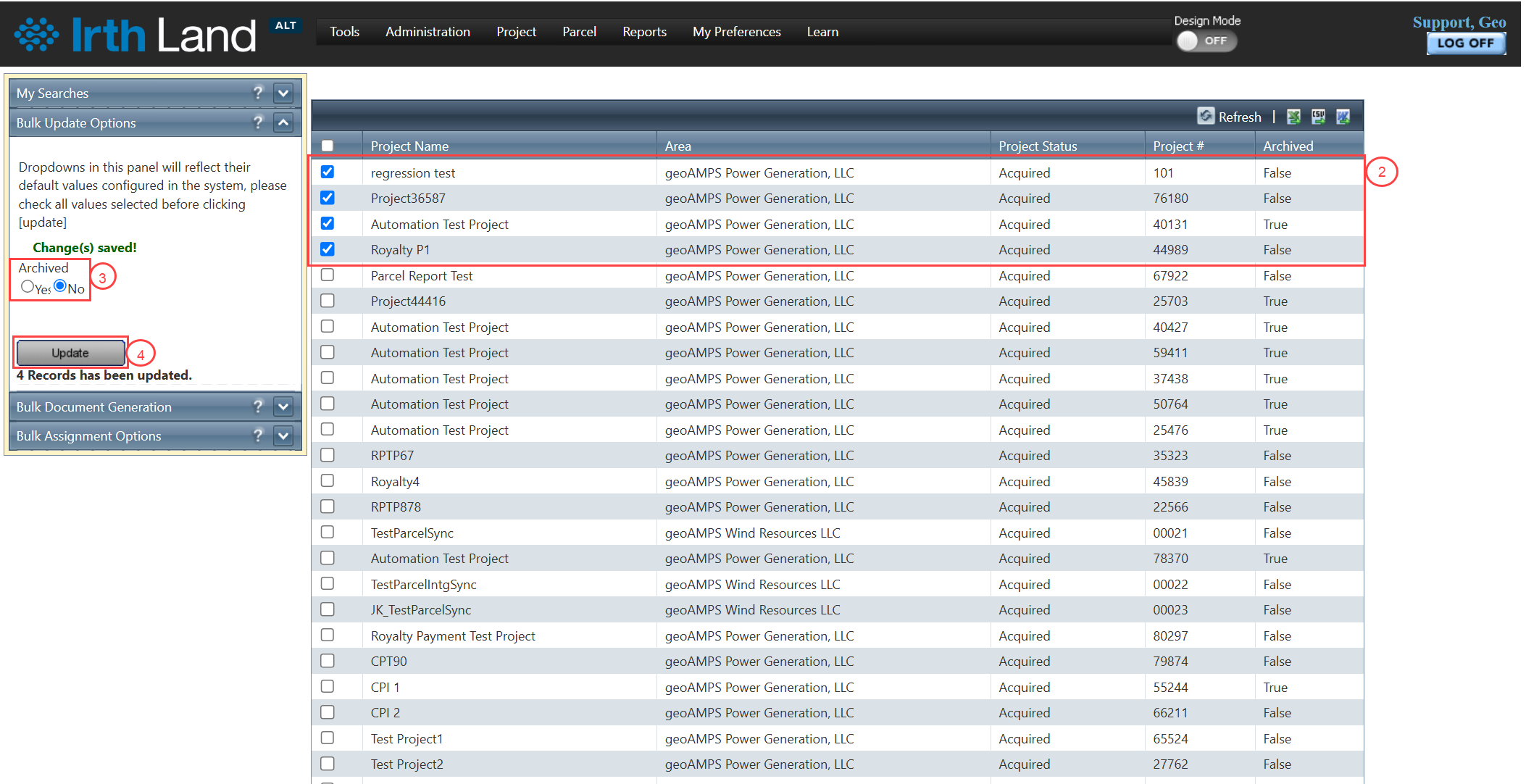
In the search results grid, select the projects you want to update by checking the corresponding checkboxes.
Step 3: Choose an Archive Option
In the Bulk Update Options section, select one of the following options:
- Yes – Archive the selected projects.
- No – Remove the archive status from the selected projects.
Step 4: Update the Projects
Click Update.
The selected projects are updated according to the archive option chosen.
Related Features/Next Steps:
FAQ/Troubleshooting:
Q: Does archiving a project permanently delete it?
A: No. Archiving is a soft-delete process. Archived projects remain available for searching and viewing.
Q: Can archived projects still be found using Project Search?
A: Yes. Archived projects remain searchable and viewable within the system.
Q: How do I restore an archived project?
A: Run a project search, select the archived project(s), choose No in the Bulk Update Options section, and click Update to remove the archive status.
Questions? Contact us!

Was this article helpful?
That’s Great!
Thank you for your feedback
Sorry! We couldn't be helpful
Thank you for your feedback
Feedback sent
We appreciate your effort and will try to fix the article