Purpose/Overview
The Learn section provides users with access to educational resources designed to help them understand and effectively use Irth Land products. It serves as a centralized hub for training, documentation, and feedback, enabling users to build their knowledge, improve proficiency, and achieve certification.
This feature is intended for all users, including new users onboarding to the platform and existing users looking to deepen their expertise. It helps reduce the learning curve, ensures consistent product usage, and supports continuous skill development.
Navigation Path:
To access this feature: Product Menu > Learn.
Things to Know:
- Access to certain training materials or certification programs may depend on user roles or permissions.
- Content availability may vary based on platform updates or organizational configurations.
- Some resources (like training courses) may require completion tracking or user interaction.
Key Benefits/Use Cases:
- User Onboarding: New users can access training courses to quickly understand the platform, reducing onboarding time and improving initial productivity.
- Skill Enhancement: Existing users can revisit help manuals and training materials to improve their knowledge and stay updated with new features.
- Feedback & Improvement: Users can provide feedback through the Learn section, helping improve training content and overall user experience.
How It Works:
Follow these steps to use the Learn section:
Step 1: Navigate to the Learn section from the product menu.
Step 2: Browse available resources such as:
- Training Courses
- Help Manuals
- Feedback Page
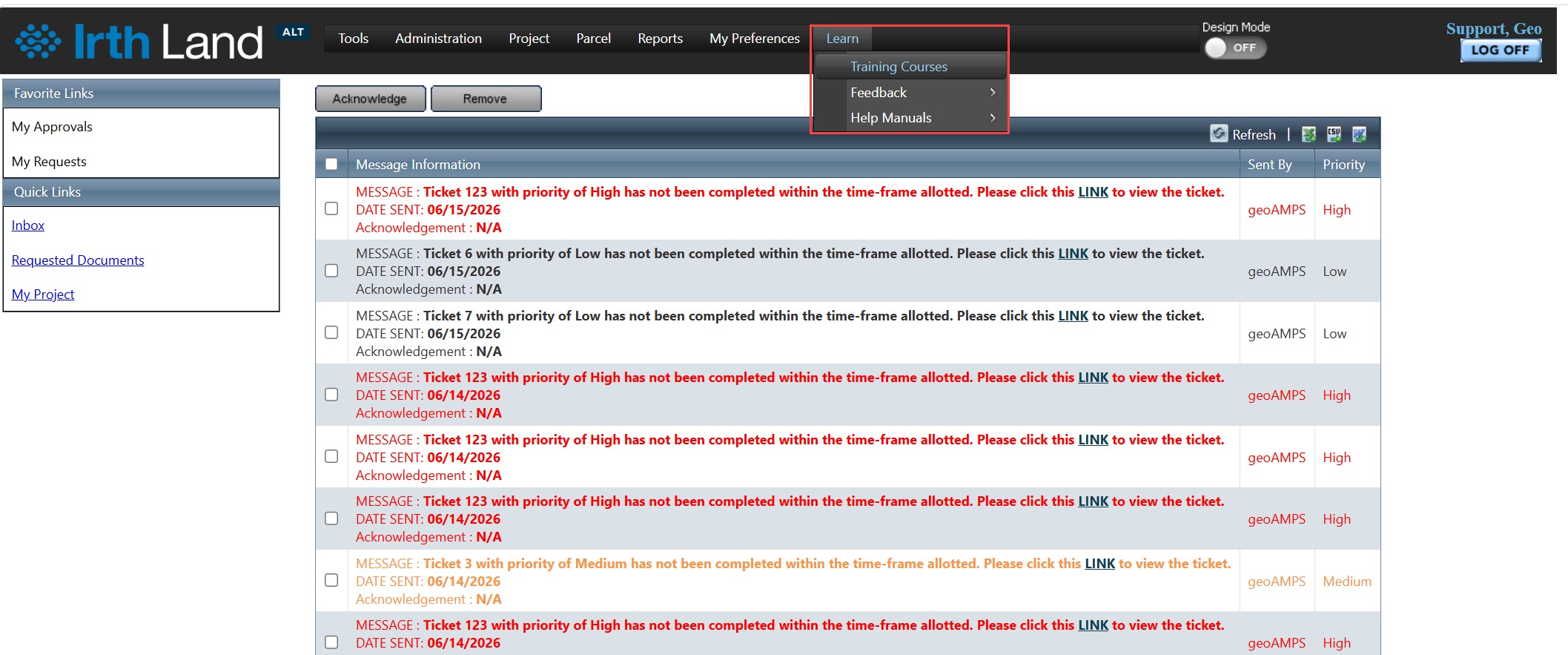
Step 3: Select the desired resource:
- Enroll in or view training courses
- Access help manuals for detailed guidance
- Submit feedback to share your experience
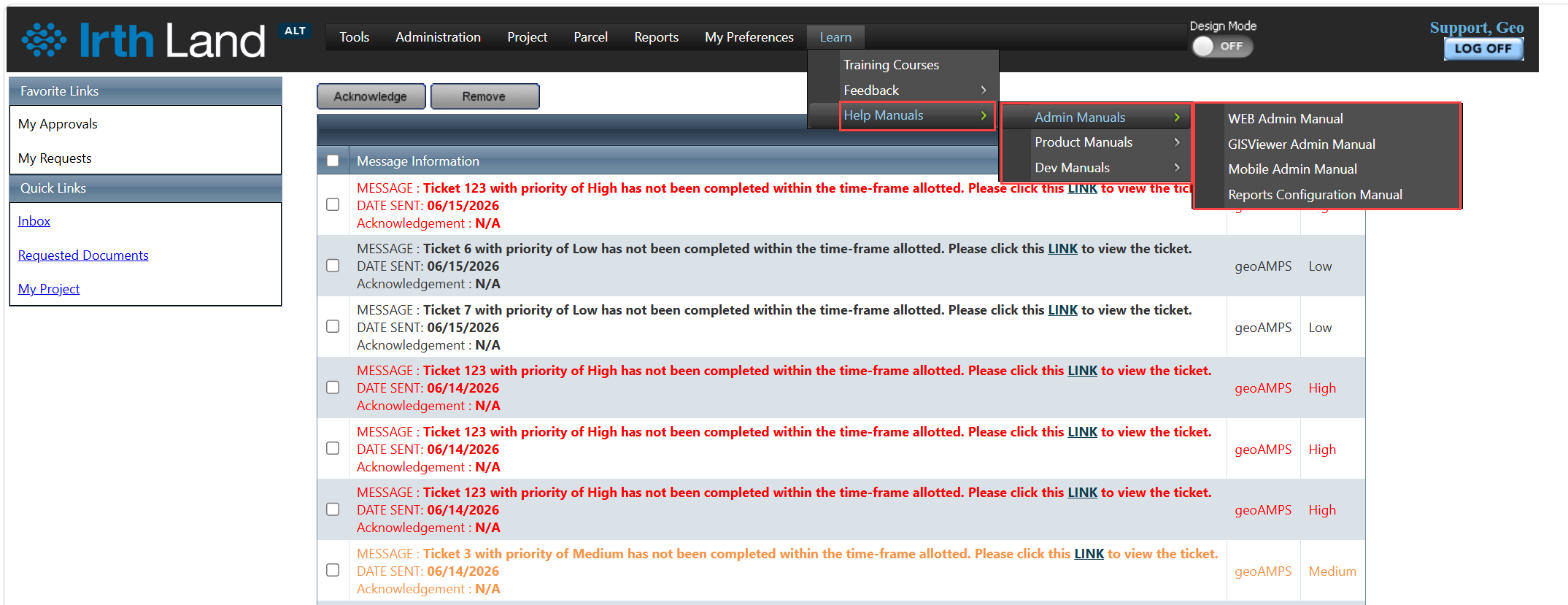
Related Features/Next Steps:
FAQ/Troubleshooting:
Q: Who can access the Learn section?
A: All users typically have access, but certain content may depend on role-based permissions.
Q: Can I track my progress in training courses?
A: This depends on the system configuration; some courses may support progress tracking and certification.
Q: What should I do if I cannot find a specific help document?
A: Use the Feedback page to request additional documentation or contact your system administrator.
Questions? Contact us!

Was this article helpful?
That’s Great!
Thank you for your feedback
Sorry! We couldn't be helpful
Thank you for your feedback
Feedback sent
We appreciate your effort and will try to fix the article