Purpose/Overview
The Training Courses feature provides users with access to essential learning modules required for certification within the Irth platform. It helps users track their learning progress, complete required training, and explore additional courses to enhance their knowledge.
This feature is intended for all users who need to complete onboarding, certification, or ongoing training. It ensures that users stay up to date with product knowledge and best practices, ultimately improving efficiency and adoption of the system.
Navigation Path:
To access this feature: Learn > Training Courses
Things to Know:
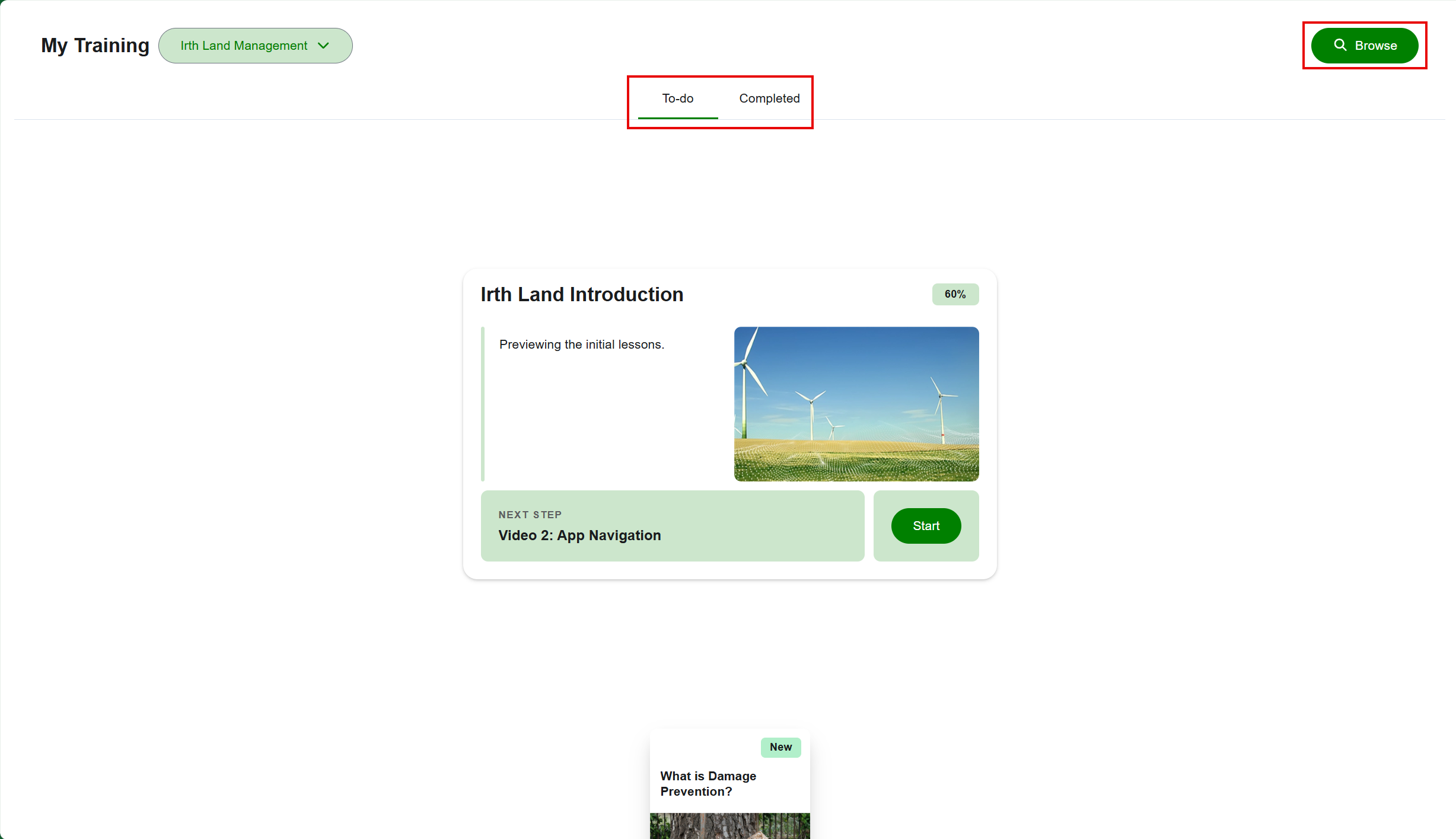
- The training modules are organized based on completion status (To-do and Complete).
- Users can browse additional courses beyond assigned modules.
- Progress is tracked automatically as modules are completed.
Key Benefits/Use Cases:
- Use Case 1: New users can complete required onboarding training, ensuring they understand system functionality before using the platform.
- Use Case 2: Existing users can track completed courses and identify pending modules, helping maintain compliance and certification status.
- Use Case 3: Users can explore additional learning modules to deepen their knowledge of Irth products and improve job performance.
How It Works:
Follow these steps to access and use Training Courses:
- Step 1: Navigate to Learn > Training Courses.
- Step 2: View the To-do section to identify modules that are pending completion.
- Step 3: Access the Complete section to review modules that have already been finished.
- Step 4: Use the Browse option to explore additional training modules related to Irth products.
- Step 5: Select and complete modules to progress toward certification.
Related Features/Next Steps:
FAQ/Troubleshooting:
Q: Where can I see the courses I need to complete?
A: All pending modules are listed in the To-do section on the Training Courses page.
Q: How can I check which courses I have already completed?
A: Completed modules are available in the Complete section.
Q: Can I access courses beyond my assigned training?
A: Yes, you can use the browse option to explore additional modules related to the Irth product.
Questions? Contact us!

Was this article helpful?
That’s Great!
Thank you for your feedback
Sorry! We couldn't be helpful
Thank you for your feedback
Feedback sent
We appreciate your effort and will try to fix the article