Purpose/Overview
The Add Documents in GIS feature allows users to add project-related notes and documents directly within the GIS interface, enabling better integration between mapping and project data.
Navigation Path:
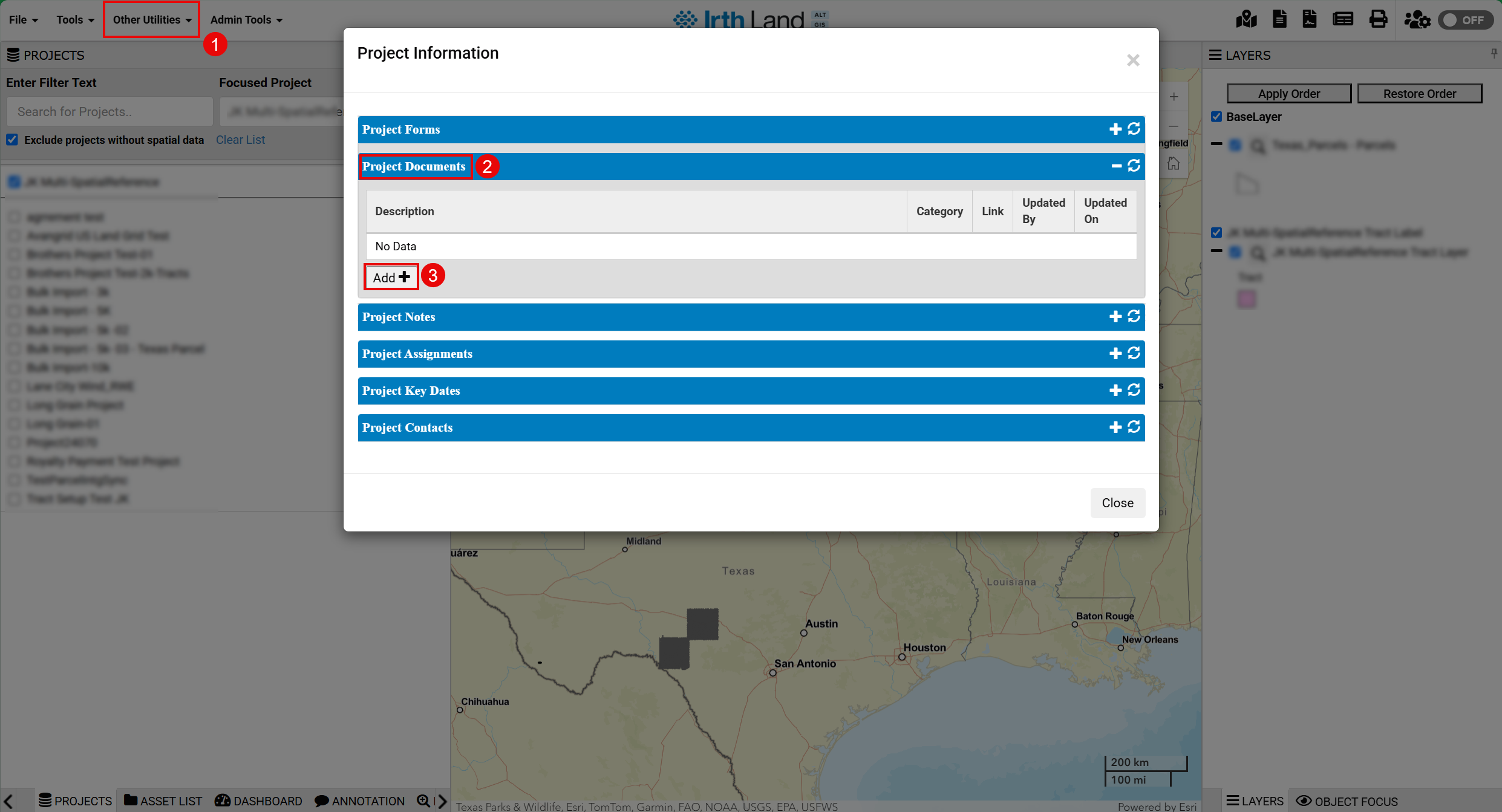
Other Utilities > Project Information
OR
Click the Project Information icon (top-right corner)
Things to Know:
- Documents are added within the Project Documents panel in GIS
- Primarily used for project-level notes and documentation
- Integrated with project information pop-up
Key Benefits/Use Cases:
- GIS Integration: Manage documents within map-based workflows
- Quick Access: Add notes without leaving GIS interface
- Improved Context: Link documents with spatial data
How It Works:
Step 1: Navigate to Other Utilities > Project Information
OR open the Project Information pop-up
Step 2: Locate the Project Documents panel
Step 3: Click the Add (+) button
Related Features/Next Steps:
FAQ/Troubleshooting:
Q: Can I upload files in GIS like the web application?
A: GIS primarily supports adding notes/documents through the Project Documents panel.
Q: Where are GIS documents stored?
A: They are stored within the project’s document records.
Questions? Contact us!

Was this article helpful?
That’s Great!
Thank you for your feedback
Sorry! We couldn't be helpful
Thank you for your feedback
Feedback sent
We appreciate your effort and will try to fix the article