Purpose/Overview
The Document Versioning feature allows users to maintain multiple versions of a document, ensuring accurate tracking of updates and historical changes.
Navigation Path:
Accessible from any Documents list (Project/Parcel/Agreement/Customer Outreach)
Things to Know:
- Versioning is available for all uploaded documents
- Previous versions are retained and viewable
- New versions do not overwrite older ones
Key Benefits/Use Cases:
- Audit Trail: Maintain complete document history
- Error Recovery: Restore or reference older versions
- Change Tracking: Monitor updates over time
How It Works:
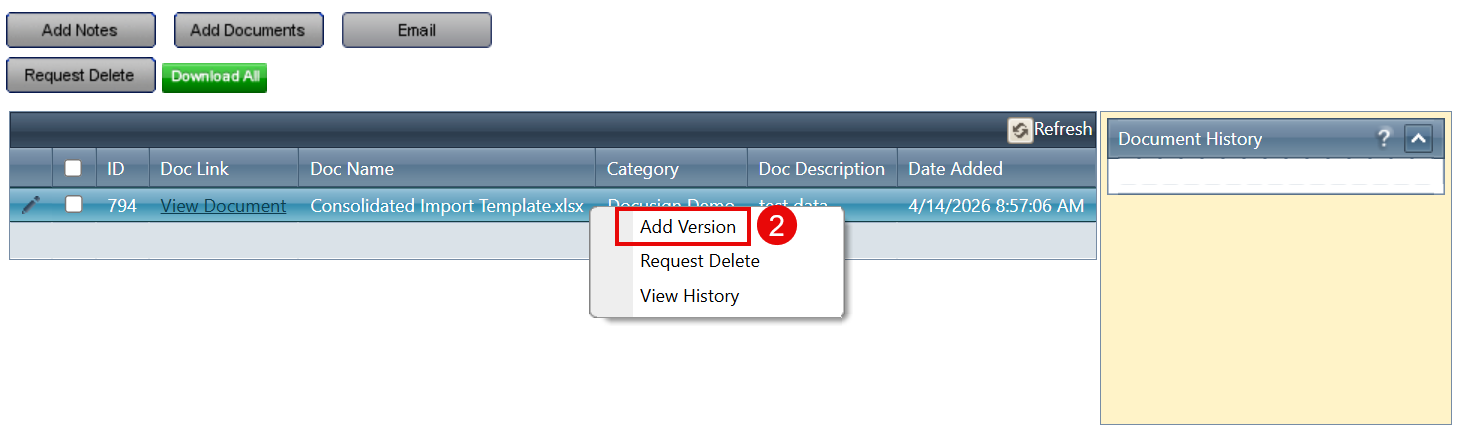
Adding a New Version
Step 1: Right-click the document
Step 2: Select Add Version
Step 3: Upload the updated document using the same steps as upload
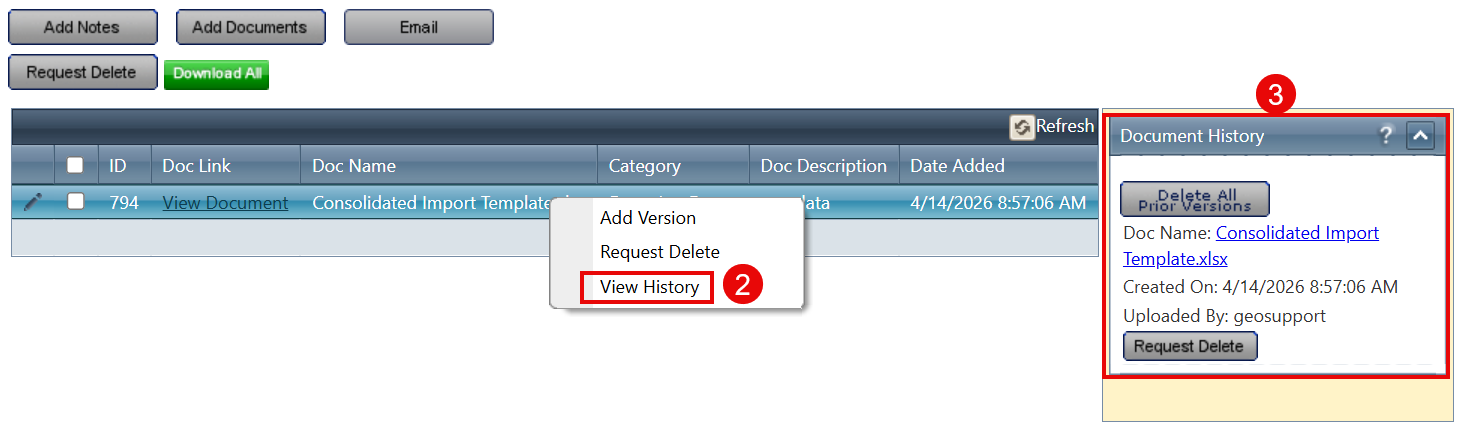
Viewing Version History
Step 1: Right-click the document
Step 2: Select View History
Step 3: Review versions in the Document History panel
Related Features/Next Steps:
FAQ/Troubleshooting:
Q: Will adding a new version delete the old one?
A: No, all previous versions are retained.
Q: Can I view all versions of a document?
A: Yes, use the View History option.
Questions? Contact us!

Was this article helpful?
That’s Great!
Thank you for your feedback
Sorry! We couldn't be helpful
Thank you for your feedback
Feedback sent
We appreciate your effort and will try to fix the article