Billing System configuration - Basic (New UI)
Purpose/Overview
In this article, you’ll learn how to configure and use the Basic Billing System in Digtix. The basic billing system allows organizations to assign a single price to a locate request based on the close code applied, with optional adjustments through miscellaneous charges or quantity multipliers. This feature is intended for administrators and billing users who need a straightforward, close‑code–driven billing model without the complexity of itemized or time‑based pricing.
Navigation Path:
To access this feature: Digtix > Administration > Close Codes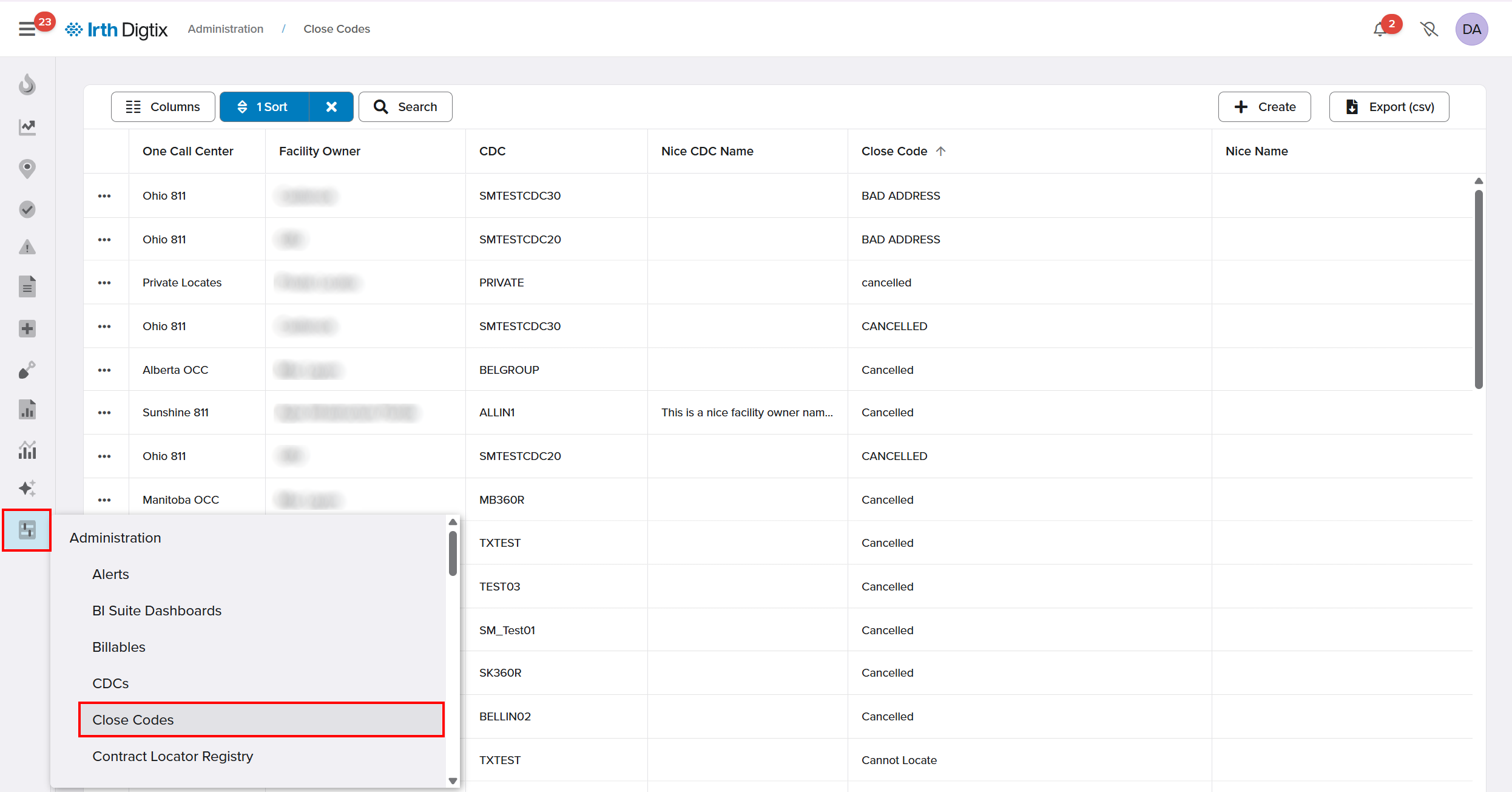
Things to Know:
Permissions: By default, only users with Administrator data permissions can view or configure pricing information.
Billing system selection: Each CDC can be configured to use either the Basic billing system or the Enhanced billing system, not both.
Scope: This article applies only to CDCs configured with the Basic Billing System. For itemized or advanced pricing, refer to Billing System Configuration – Advanced.
Behavior to expect: Pricing updates dynamically based on the close code currently applied to the locate request.
Key Benefits/Use Cases:
Simple close‑code pricing: Assign a single, consistent price to each locate request based on the close code applied, reducing billing complexity and configuration effort.
Flexible adjustments when needed: Apply miscellaneous charges or discounts at the CDC level to accommodate special billing scenarios without changing close code pricing.
Accurate reporting: Ensure billing reports reflect the correct pricing by always using the current close code and any applied miscellaneous charges.
How It Works:
Follow these steps to configure basic billing:
Confirm Basic Billing System
Ensure the CDC is configured to use the Basic Billing System. This setup assumes basic billing is already selected for the CDC.
Configure Close Code Pricing
- Navigate to Administration > Close Codes.
- Click +Create or select an existing close code.

- Assign a price to the close code and Save Changes.
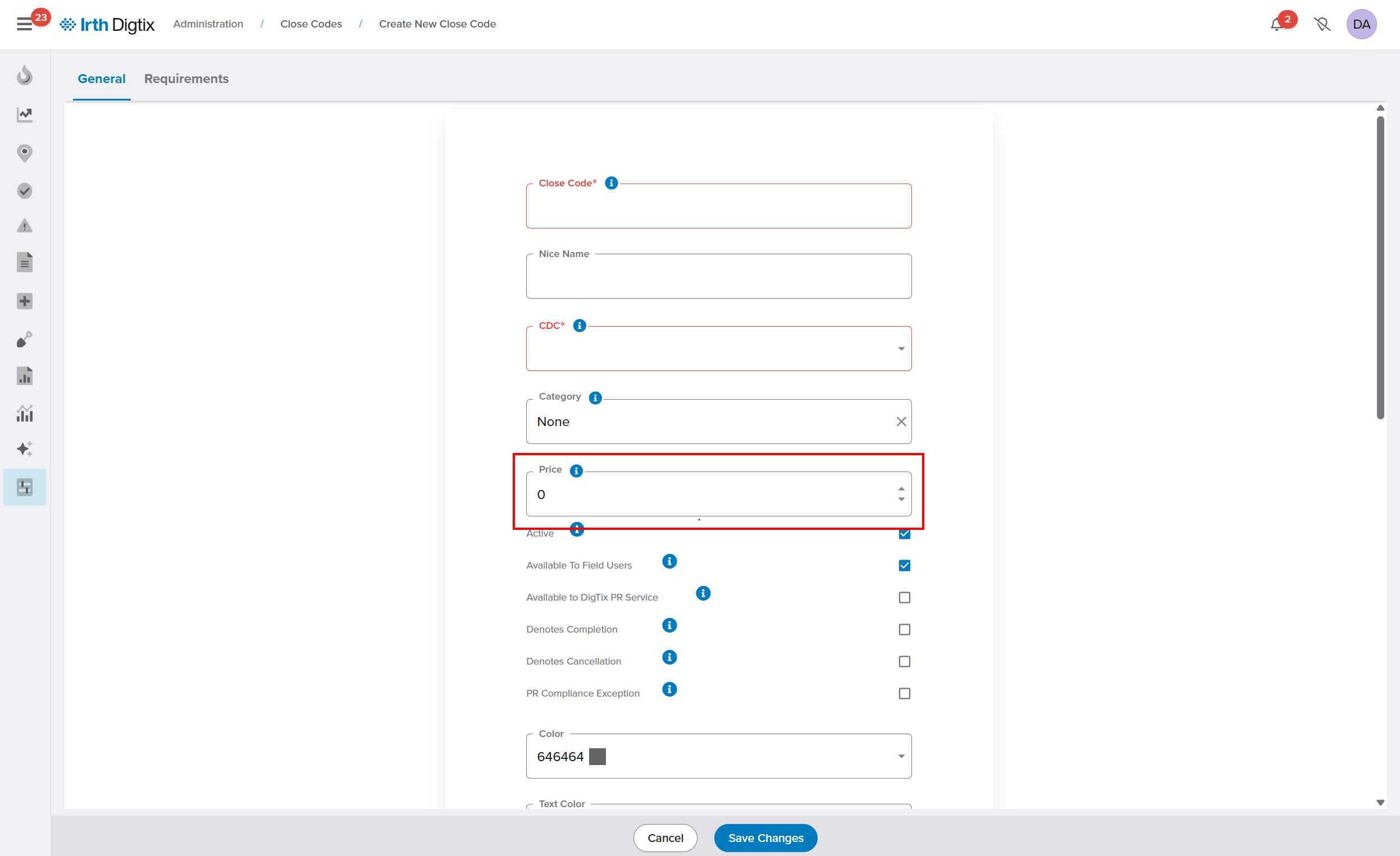
- When a close code is applied to a locate request, the configured price is automatically applied.
- If the close code changes later, the locate price updates to match the new close code.
Apply Miscellaneous Charges or Discounts (Optional)
- Navigate to Administration > Miscellaneous Charges.
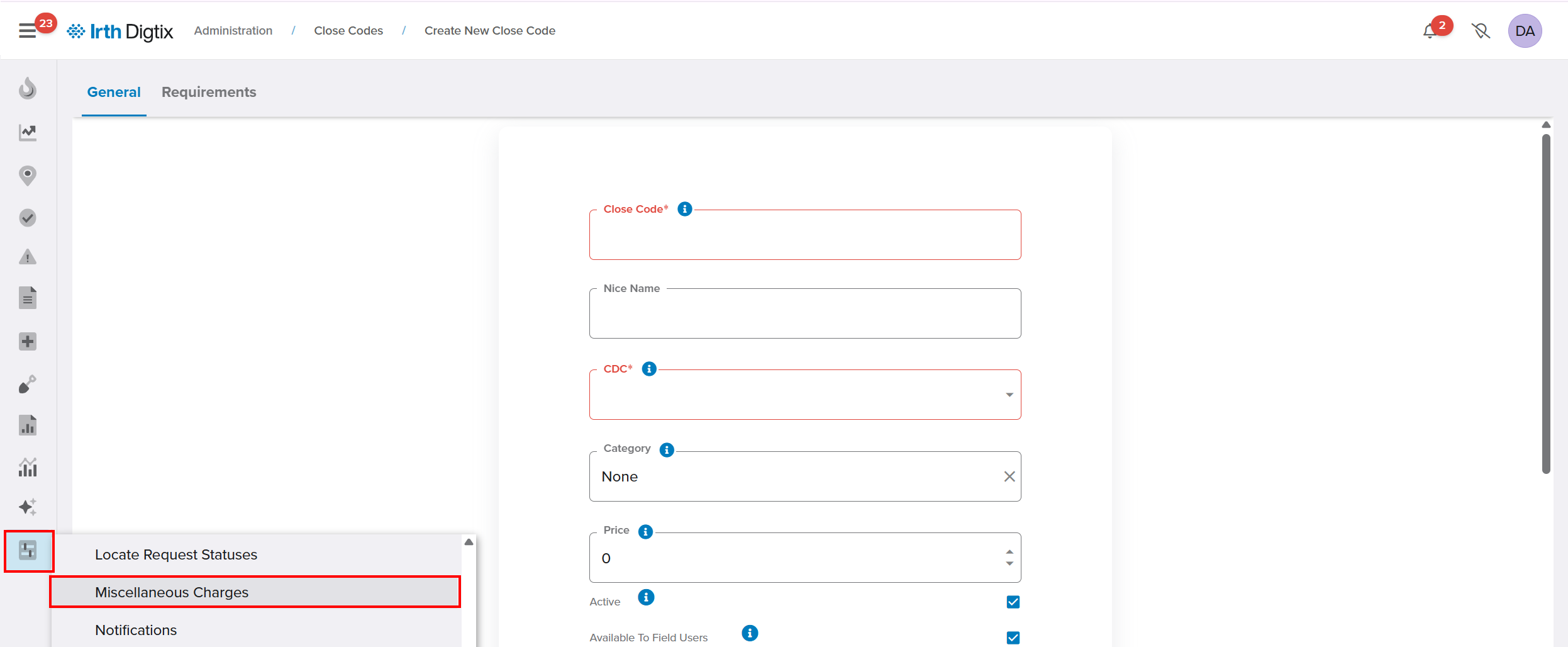
- Add charges or discounts on a per‑CDC basis by clicking +Create.

- Fill out the Miscellaneous Charge form and Save Changes.
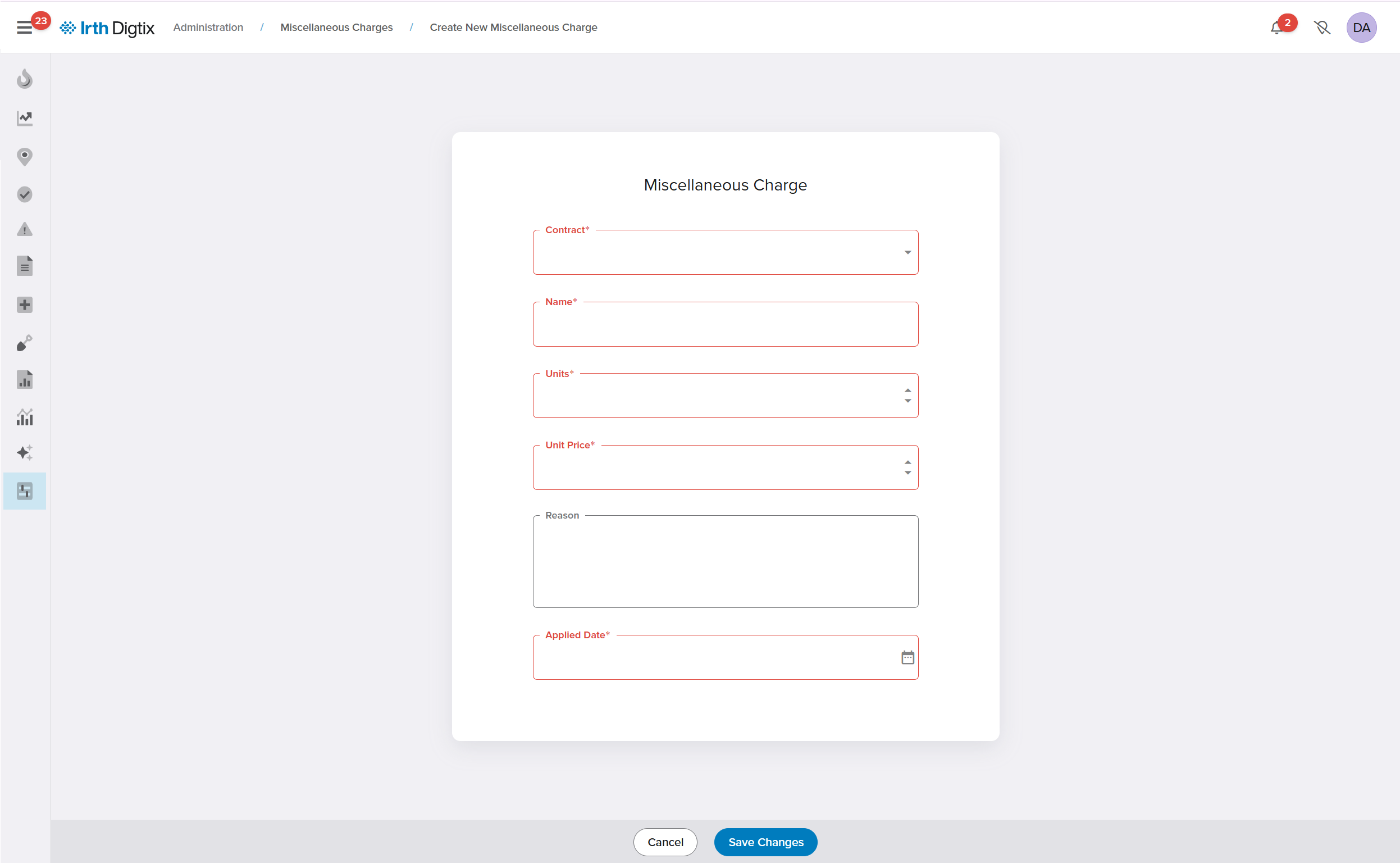
- These adjustments can be applied at any time and will be included in billing totals.
Multiply the Close Code Price (Optional)
In Basic Billing, a Close Code can have a base price associated with it. If you need to apply a multiplier to that price at the CDC level, this can be done using Miscellaneous Charge setup. Miscellaneous Charge setup allows you to add a multiplier at the CDC level. To apply the multiplier:
- Update the applicable Close Code on the CDC.
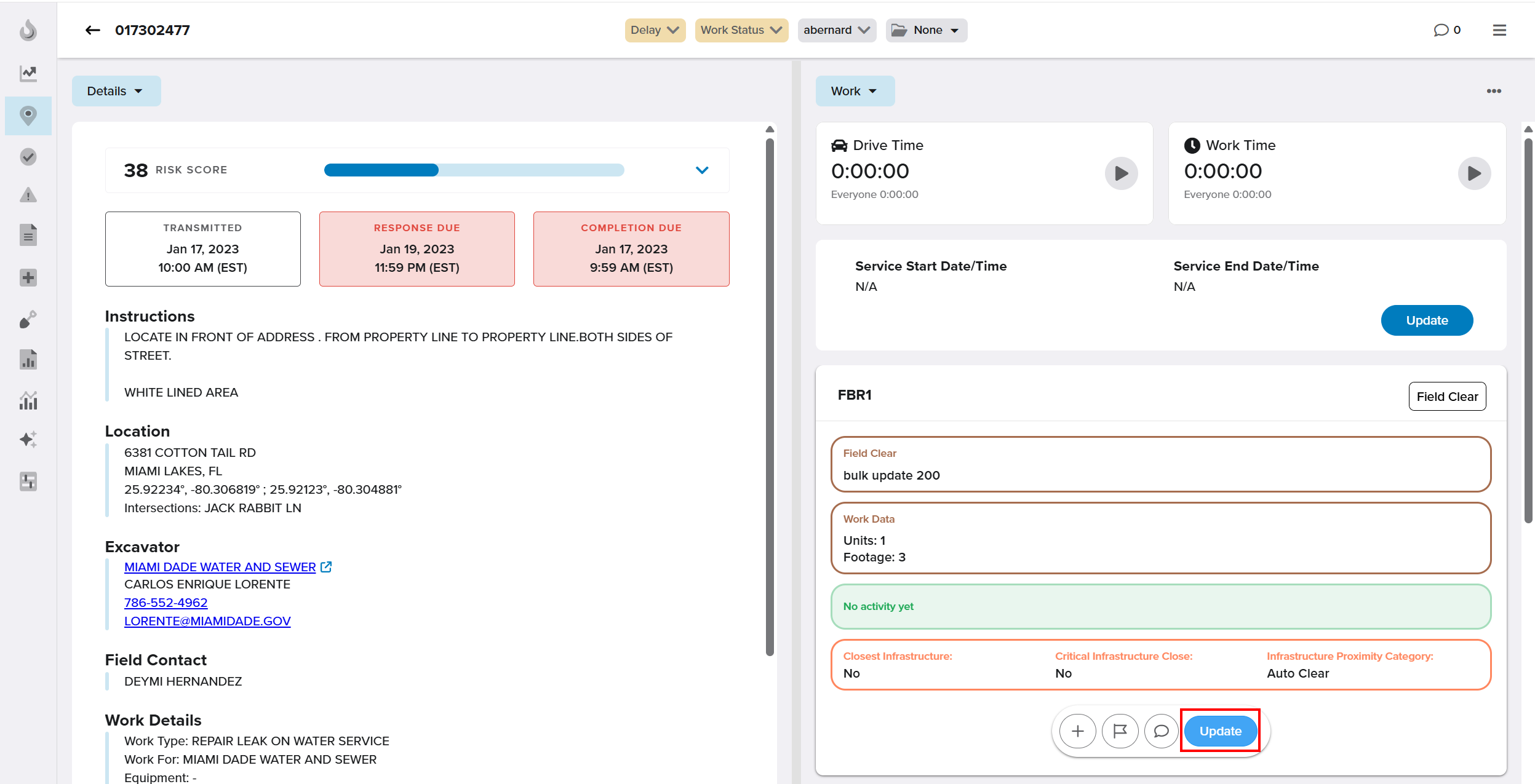
- In the Units field, enter the multiplier value and Save.
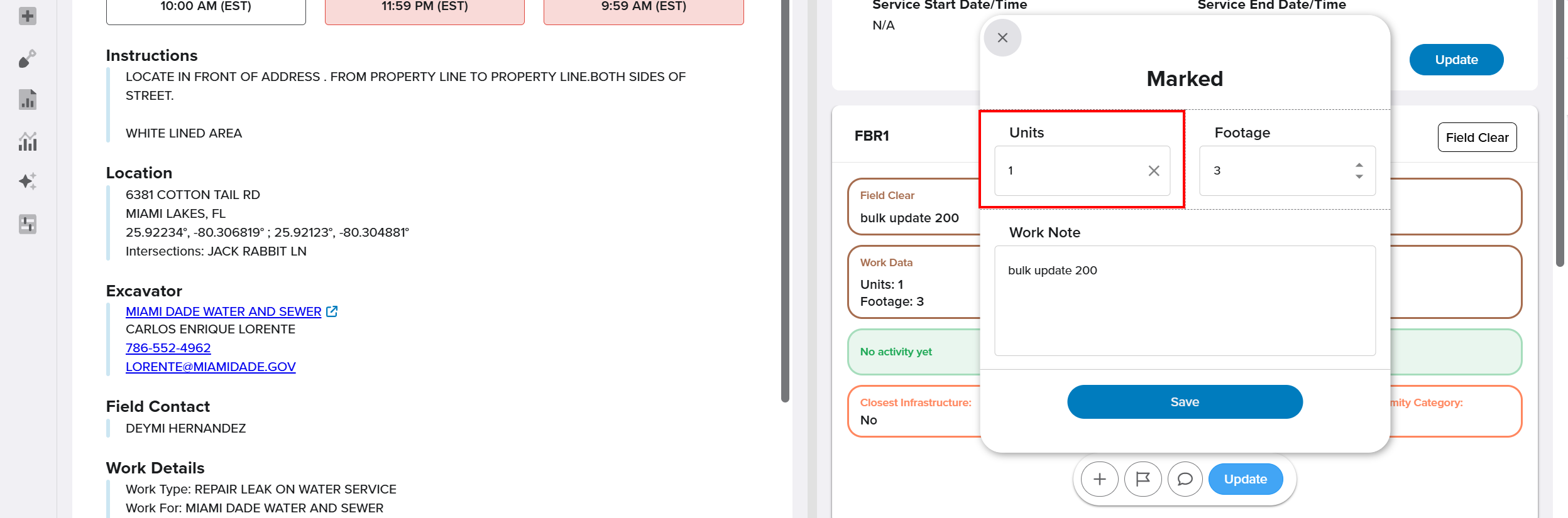 The value entered in the Units field is used as the multiplier, and the Close Code price is automatically multiplied by that amount when billing is calculated.
Reporting and Analytics
When billing reports are generated, Digtix calculates charges using:
- The currently applied close code price, and
- Any miscellaneous charges or discounts associated with the CDC.
The Digtix Enterprise BI Suite includes billing datasets that will allow rich visualizations, integrated billing dashboards, and scheduled email report delivery. The dataset names that users can leverage for building billing dashboards is qs_Locate_Charges and/or qs_Locate_Activities.
Related Features/Next Steps:
FAQ/Troubleshooting:
Q: Why can’t I see pricing information?
A: Pricing visibility is restricted to users with Administrator data permissions by default.
Q: What happens if I change a close code after billing is applied?
A: The locate request price updates automatically to match the newly applied close code.
Q: Can I use both Basic and Enhanced billing for the same CDC?
A: No. Each CDC must use either the Basic billing system or the Enhanced billing system.
Questions? Contact us!

Was this article helpful?
That’s Great!
Thank you for your feedback
Sorry! We couldn't be helpful
Thank you for your feedback
Feedback sent
We appreciate your effort and will try to fix the article