Purpose/Overview
The Forms Panel is a core system component used to manage data capture forms and workflow approvals. It is powered by the system’s workflow engine, enabling users to configure approval routing, workflow steps, and form data collection.
This feature supports both:
- Complex workflows with approvals and routing
- Simple forms for data collection without approvals
It is available across multiple modules, making it a flexible and centralized tool for managing workflows and forms.
Navigation Path:
Accessible from multiple locations, including:
- Parcel
- Agreement or Lease
- Project
- Application
- Customer Outreach
Things to Know:
- Forms Panel behavior depends on administrator-configured workflows
- Can be used with or without approval processes
- Approval routing and workflow steps are fully configurable
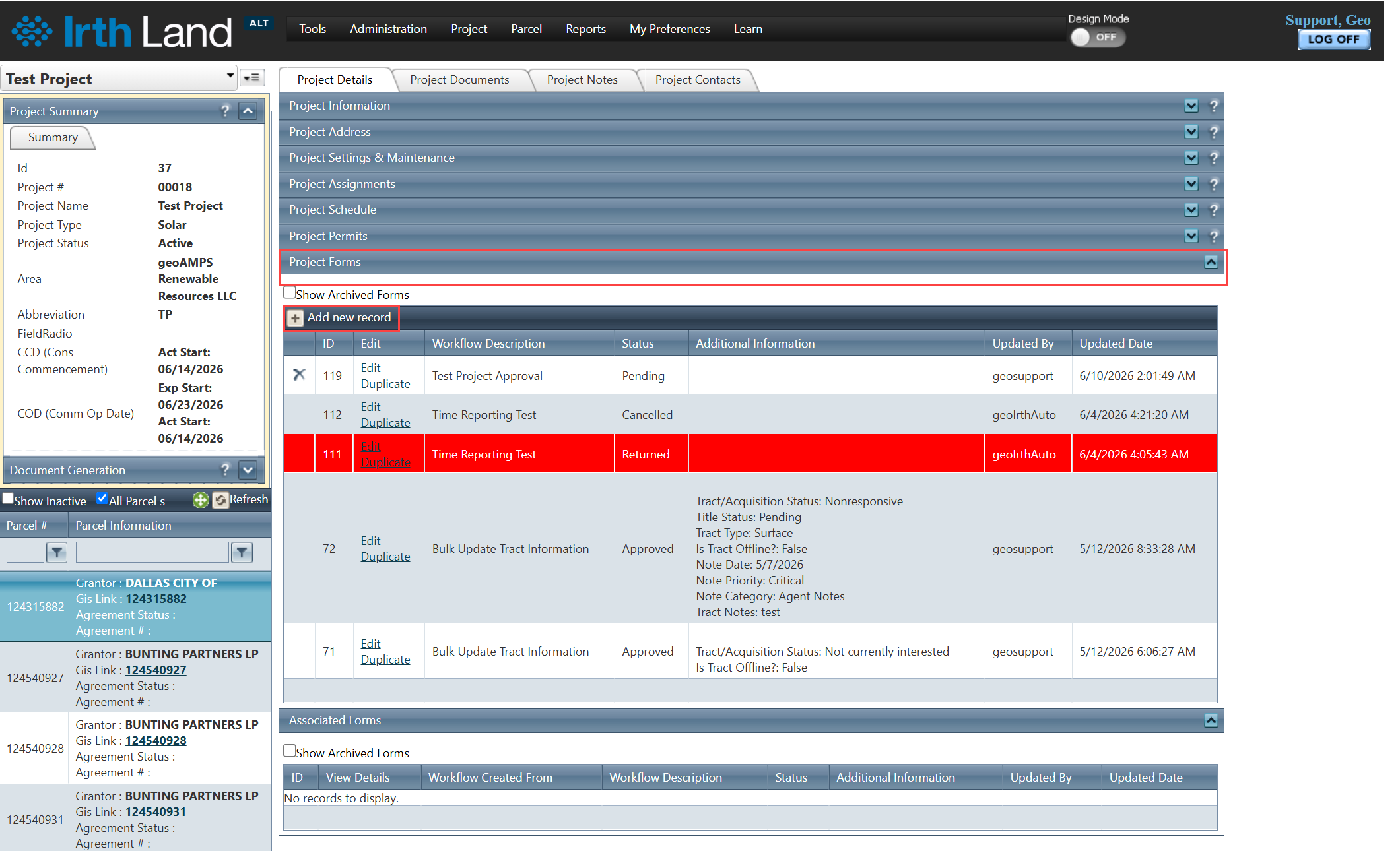
- Appears as different panels such as Project Forms, Parcel Forms, etc.
Key Benefits/Use Cases:
- Workflow Automation: Automate approval processes based on business rules
- Centralized Data Capture: Collect and manage structured data across modules
- Flexible Configuration: Adapt workflows based on project or organizational requirements
How It Works:
Step 1: Navigate to any module (Project, Parcel, etc.)
Step 2: Open the Forms Panel
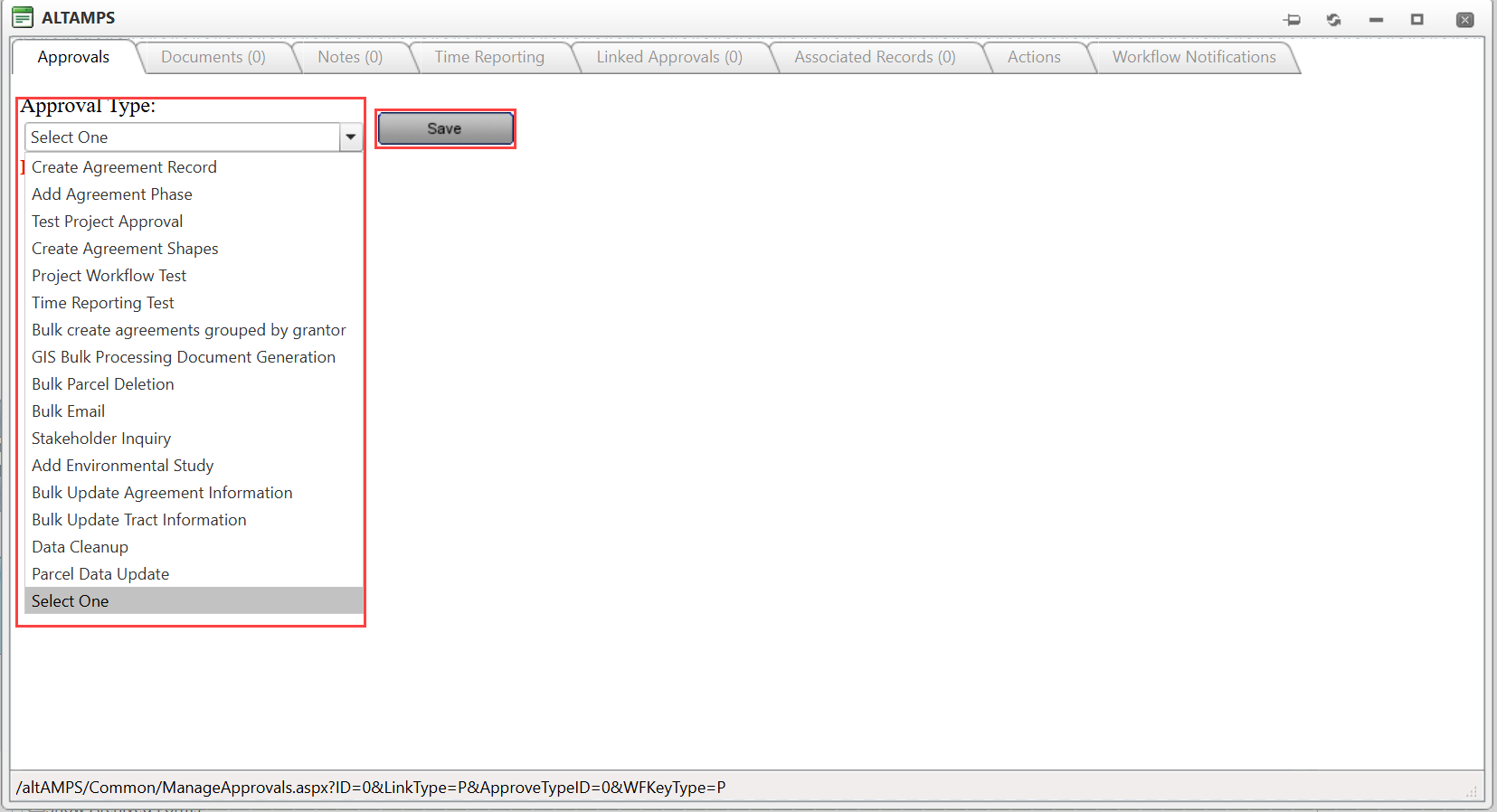
Step 3: Select or create a workflow/form
Step 4: Enter data and submit (if applicable)
Related Features/Next Steps:
FAQ/Troubleshooting:
Q: Can the Forms Panel be used without approvals?
A: Yes, it can be used for simple data collection without workflows.
Q: Where can I access the Forms Panel?
A: It is available in multiple modules like Project, Parcel, and Agreements.
Questions? Contact us!

Was this article helpful?
That’s Great!
Thank you for your feedback
Sorry! We couldn't be helpful
Thank you for your feedback
Feedback sent
We appreciate your effort and will try to fix the article