PR Compliance and Due Date Management (New UI)
Purpose/Overview
In this article, you’ll learn how PR Compliance and Due Date Management in the Digtix new UI helps you track, manage, and meet both Positive Response Due Dates and Locate Completion Due Dates. This functionality provides visibility into regulatory deadlines, helps teams stay compliant with 811 Call Center requirements, and reduces the risk of non‑compliance fines.
Across the United States and Canada, 811 Call Centers manage due dates differently, but most locate requests include two critical deadlines: a Positive Response Due Date and a Locate Completion Due Date. Digtix brings these timelines together in one place so users can monitor status, take action, and report on performance.
Navigation Path:
To access PR compliance and due date information:
- Digtix > Dashboard

- Digtix > Locates > Positive Response Due Date

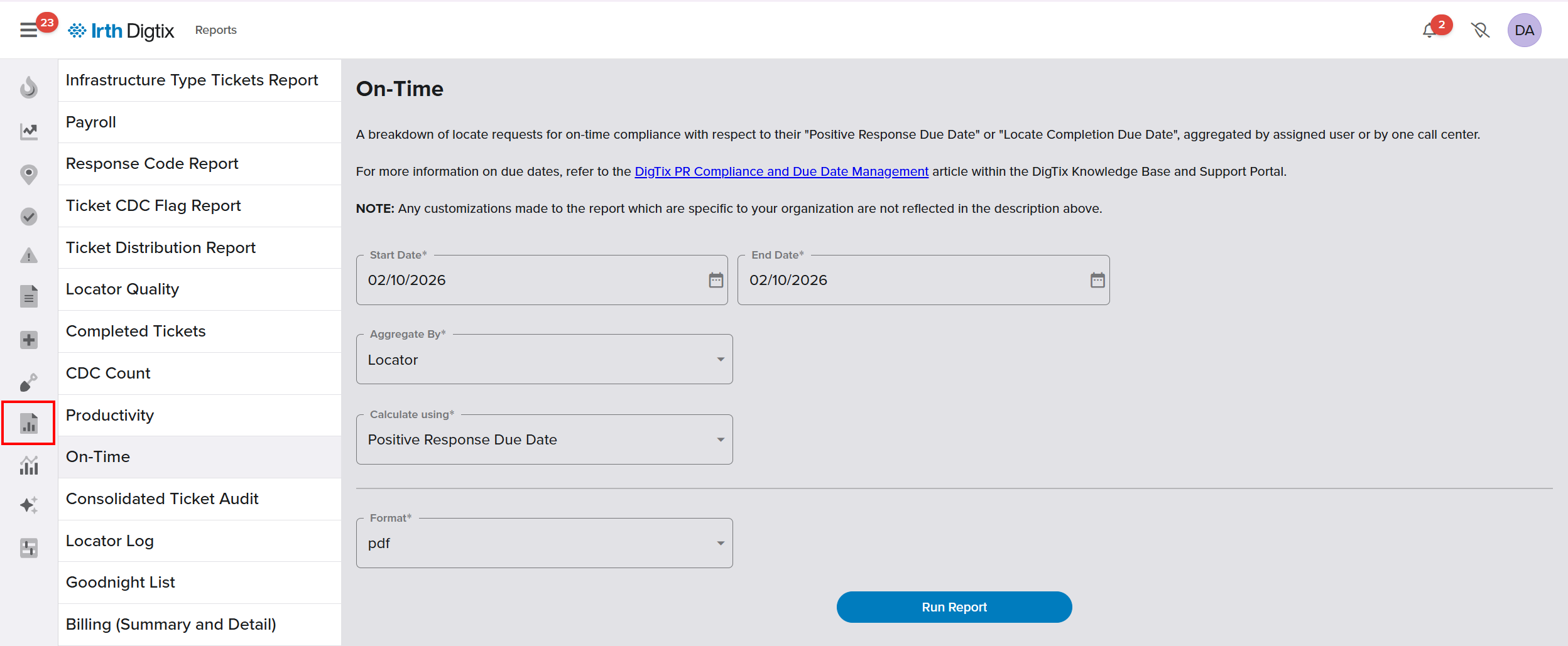
- Reports > On-Time
Things to Know:
Permissions: Users must have access to the Dashboard, Tickets, and Reports to view compliance information and due dates.
Important Behavior:
- Meeting the Positive Response Due Date does not mean the locate work is complete.
- Rescheduling affects the Locate Completion Due Date only and does not satisfy positive response requirements
Key Benefits/Use Cases:
Monitoring positive response compliance: Supervisors can easily see tickets that are past due, due today, or recently completed late, helping teams resolve compliance risks quickly.
Managing locate completion timelines: Locators can track countdowns for both Positive Response and Locate Completion Due Dates to stay on schedule and avoid excavator delays.
Handling large or ongoing projects: Through the rescheduling feature, users can extend Locate Completion Due Dates for project-based work without jeopardizing compliance metrics.
How It Works:
Positive Response Due Date
The Positive Response Due Date is set by the Call Center and is based on the type of locate request (emergency, routine, etc.). Meeting this deadline requires submitting a response through the Call Center’s Positive Response System (PR System) when available.
Some Call Centers do not support electronic PR Systems; in those cases, email notification to the excavator may satisfy the requirement.
NOTE: Positive responses may acknowledge receipt or indicate work is in progress (for example, Ongoing, Project, or Rescheduled locates).
Locate Completion Due Date
The Locate Completion Due Date represents when the locate work must be completed before excavation begins. This date is determined by the excavator’s work schedule and minimum lead times established by the Call Center.
Digtix sets this date as the Work Starts Date by default and allows it to be extended using the rescheduling feature.
Positive Response Compliance Tools:
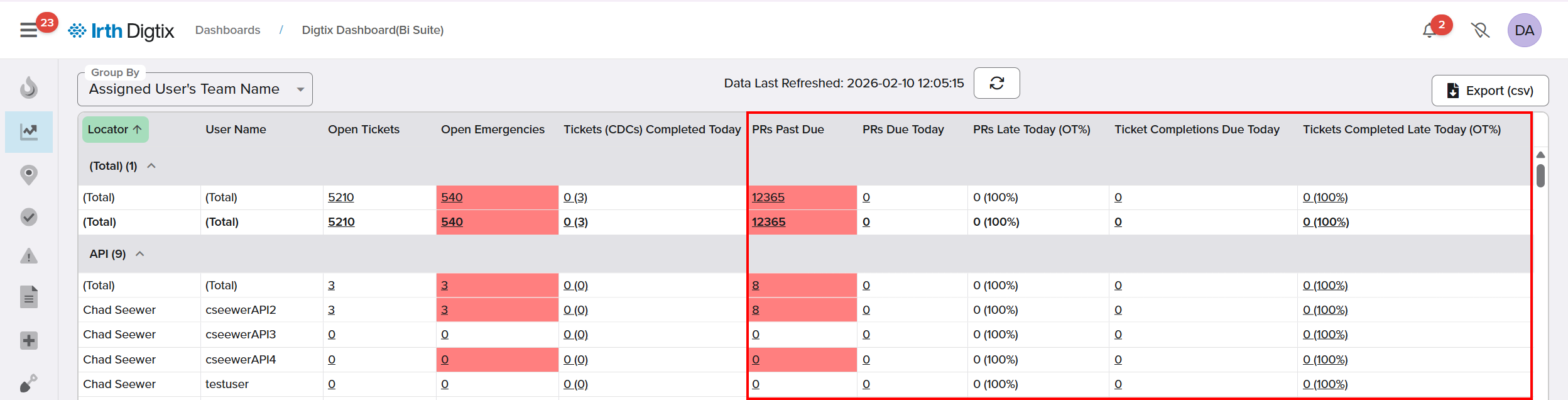
Digtix Dashboard
The Digtix Dashboard continues to provide real‑time visibility into upcoming and overdue responses. Users can click dashboard metrics to drill into the related tickets.
Key widgets include:
- PRs Past Due
- PRs Due Today
- PRs Late Today (OT%)
- Ticket Completions Due Today
- Tickets Completed Late Today
Quick Filters Panel
The Quick Filters Panel allows users to quickly narrow tickets by Positive Response Due Date or Locate Completion Due Date.
- Access it by clicking the Filter button in the Locates view
- Filter tickets with responses due on a specific date or time range
This makes it easy to focus on tickets that need immediate attention.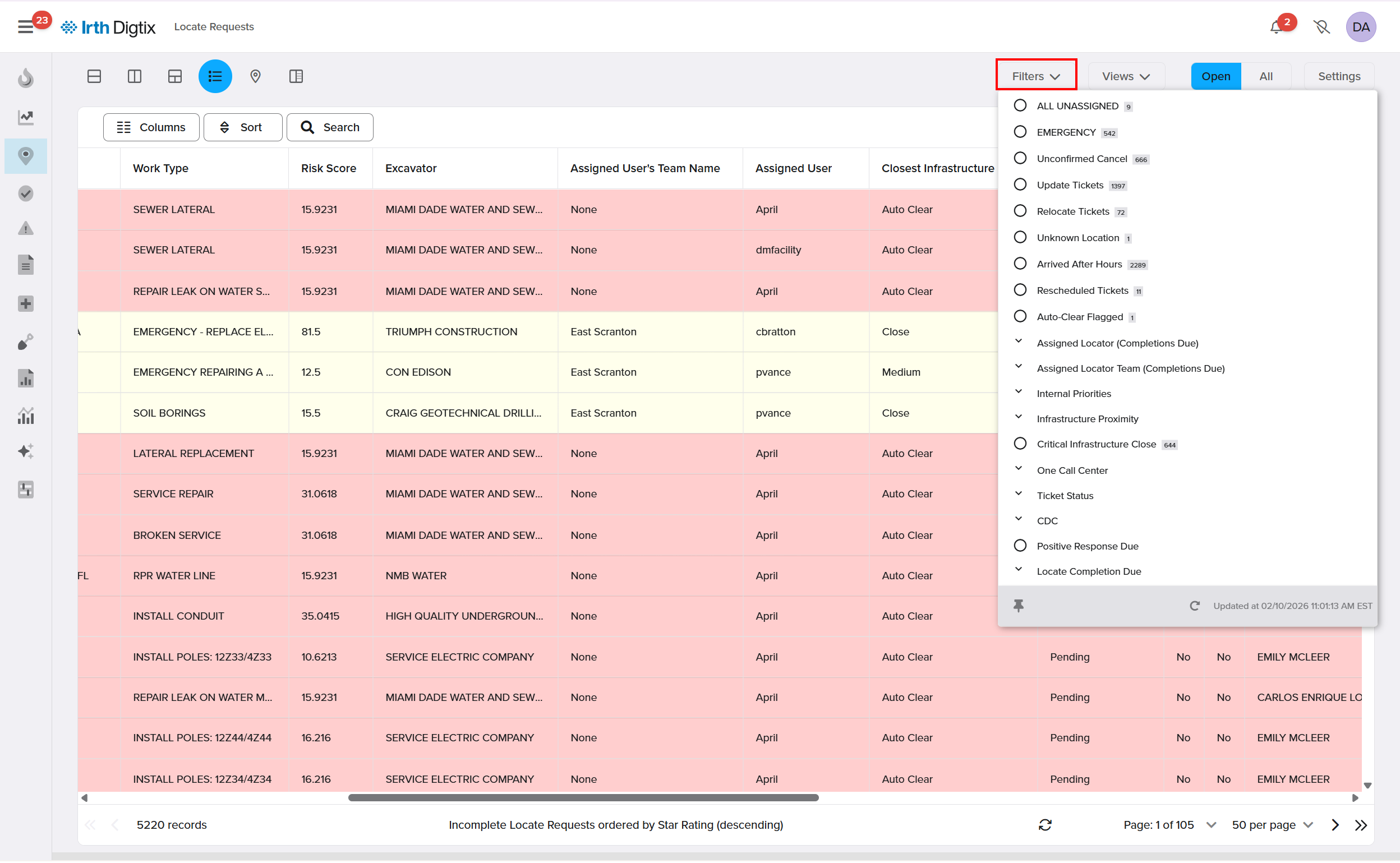
Ticket Grid
In the Ticket Grid:
- Positive Response Due Date shows when the response is required
- Positive Response Compliant indicates whether all member codes responded on time
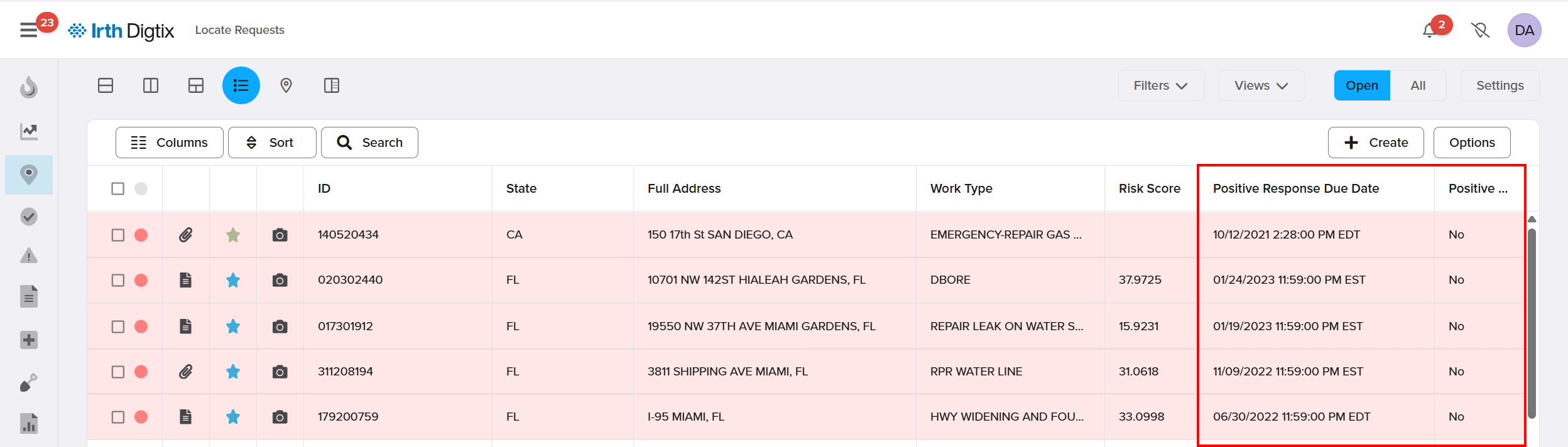
The Color By > Response Due option is still available and visually highlights ticket status in both the grid and map (for example, compliant vs overdue).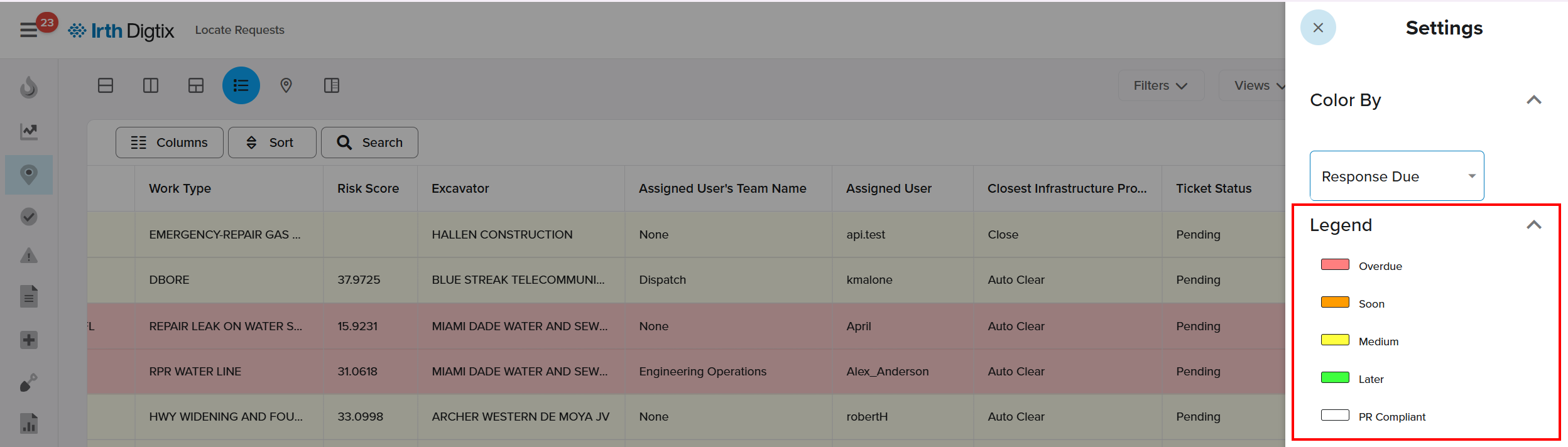
Ticket Details Panel
The ticket experience is a side‑by‑side details panel with tabbed navigation.
- The Response Due section displays:
- Positive Response compliance status
- Countdown to the Positive Response Due Date
- Countdown to the Locate Completion Due Date
This layout allows users to review compliance information while keeping the ticket list visible.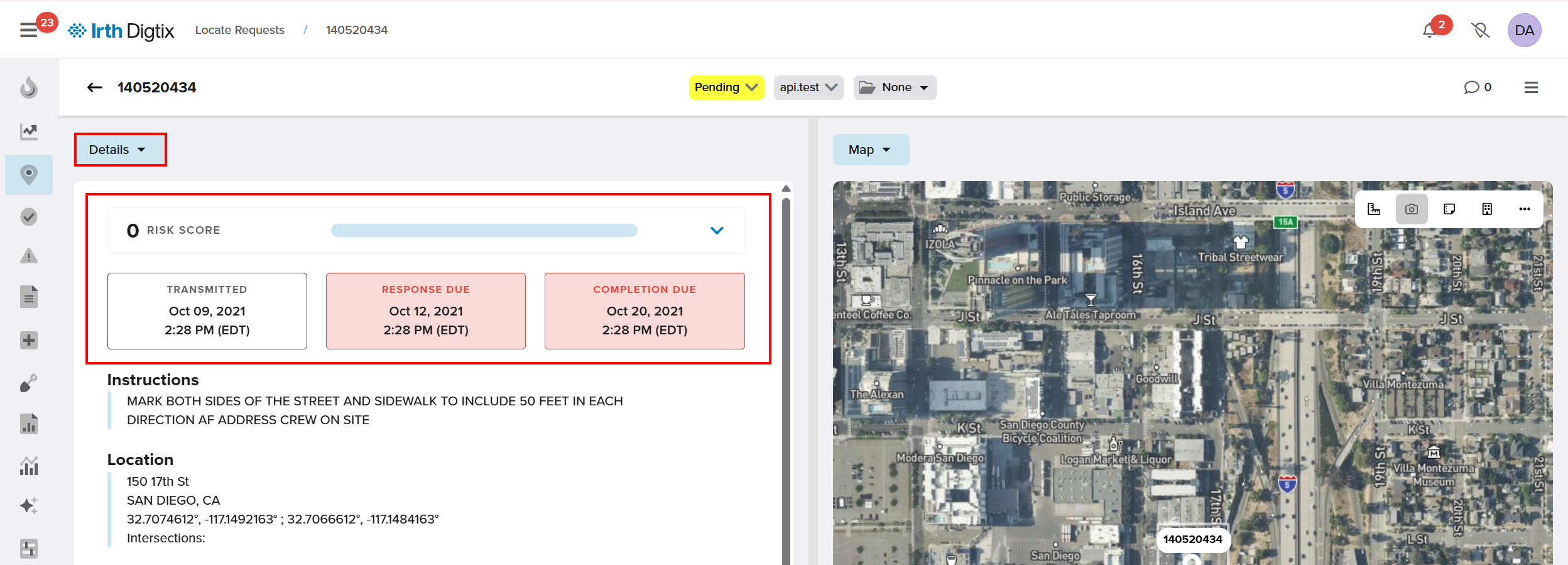
On-Time Completion and Reporting:
Reports Screen
Compliance and performance reports are now accessed through the Reports screen.
The On‑Time and Work By Due Date reports allow users to:
- Analyze performance over a selected time range
- Run reports based on:
- Positive Response Due Dates
- Locate Completion Due Dates
These reports help teams track trends, identify risks, and improve response performance.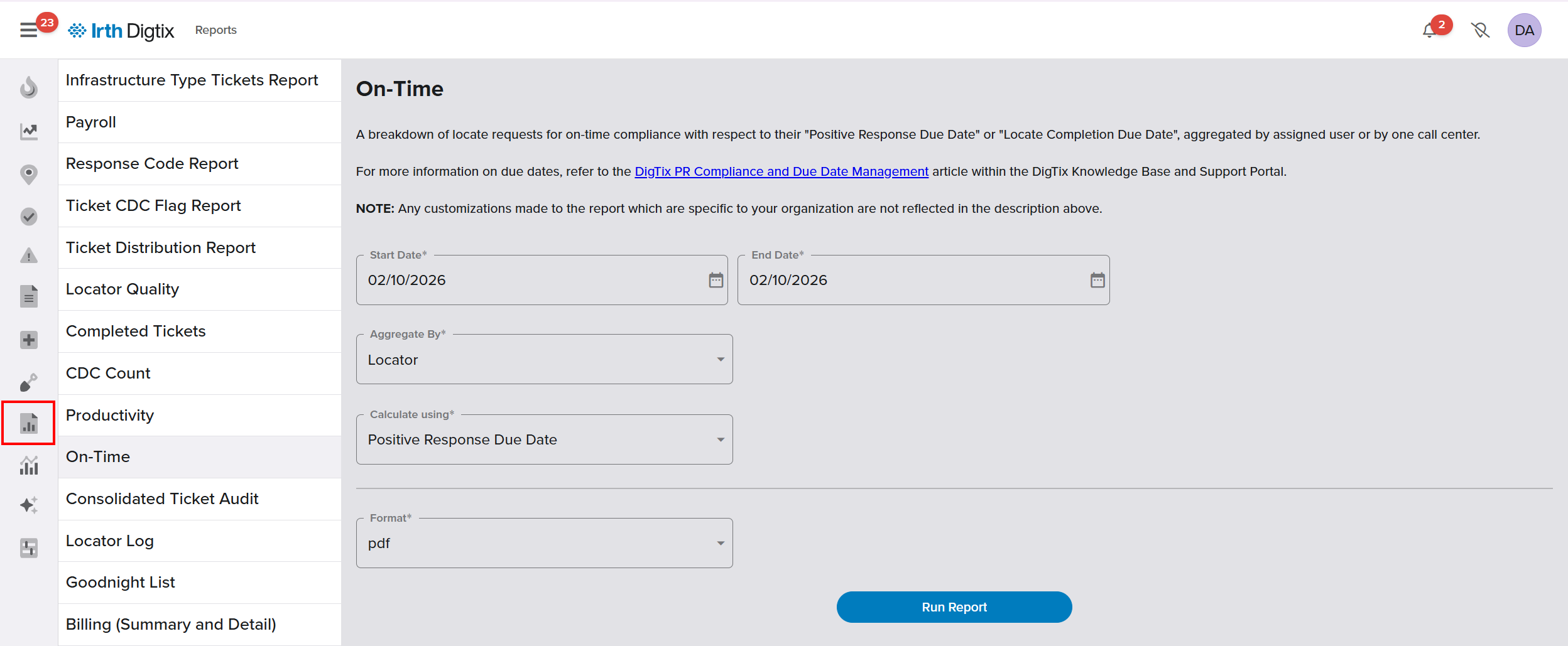
Rescheduling Locate Completion Due Dates
In certain situations—such as large or ongoing projects—it may be appropriate to extend the Locate Completion Due Date.
- Rescheduling is available through a side sheet menu within the ticket

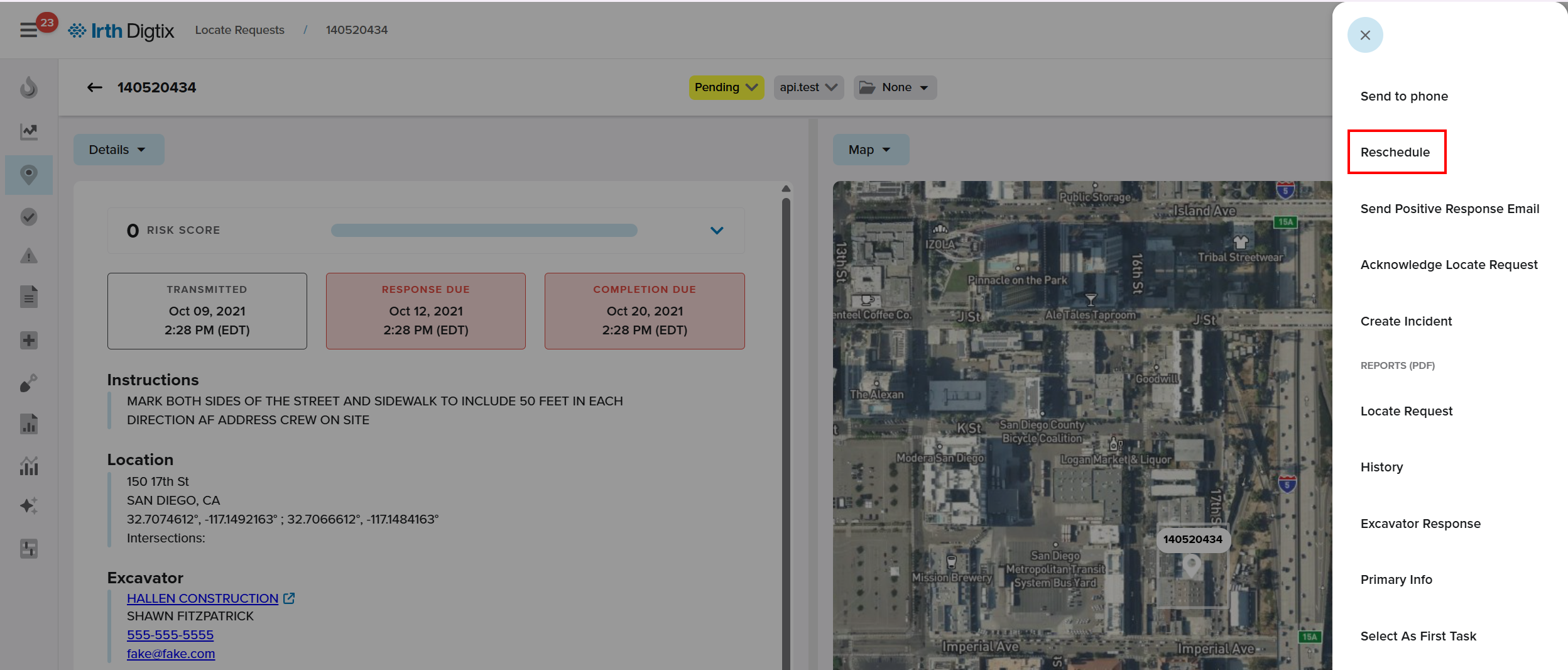
- Tickets can be rescheduled individually or via bulk update tools
Important reminders:
- Rescheduling does not satisfy Positive Response Due Date requirements
- Some Call Centers require written notice or mutual agreement with the excavator
FAQ/Troubleshooting:
Q: Does completing a positive response mean the locate work is finished?
A: No. A positive response may simply acknowledge the ticket or indicate work is in progress. The locate must still be fully completed by the Locate Completion Due Date.
Q: Does rescheduling affect my Positive Response Due Date?
A: No. Only the Locate Completion Due Date changes. You must still meet the Positive Response Due Date set by the Call Center.
Q: What if my Call Center doesn’t support a Positive Response System?
A: Some Call Centers accept email responses to the excavator as an approved alternative.
Questions? Contact us!

Was this article helpful?
That’s Great!
Thank you for your feedback
Sorry! We couldn't be helpful
Thank you for your feedback
Feedback sent
We appreciate your effort and will try to fix the article