Purpose/Overview
The Create Parcels in GIS feature allows users to import shapefiles and automatically generate parcel records. This method is commonly used to enable map visualization and spatial data integration.
It is ideal for GIS users and teams managing large-scale projects with mapping requirements.
Navigation Path:
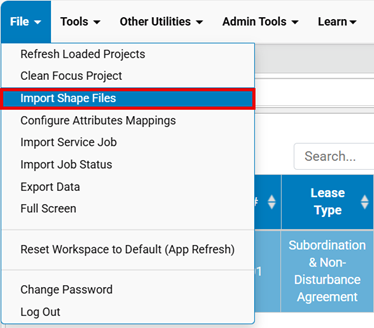
To access this feature: File > Import Shape Files
Things to Know:
- Parcels created via GIS are linked to shapefiles for map visualization
- Only the unique attribute (parcel number) is initially imported
- Additional parcel details must be added later through import or manual updates
- Without ROWAMPS data creation, parcels will not appear in ALT/ROW
Key Benefits/Use Cases:
- Bulk Parcel Creation: Import multiple parcels at once using shapefiles
- Map Integration: Instantly visualize parcels on GIS maps
- Data Consistency: Ensures parcel numbers are standardized using unique attributes
How It Works:
- Step 1: Navigate to File > Import Shape Files
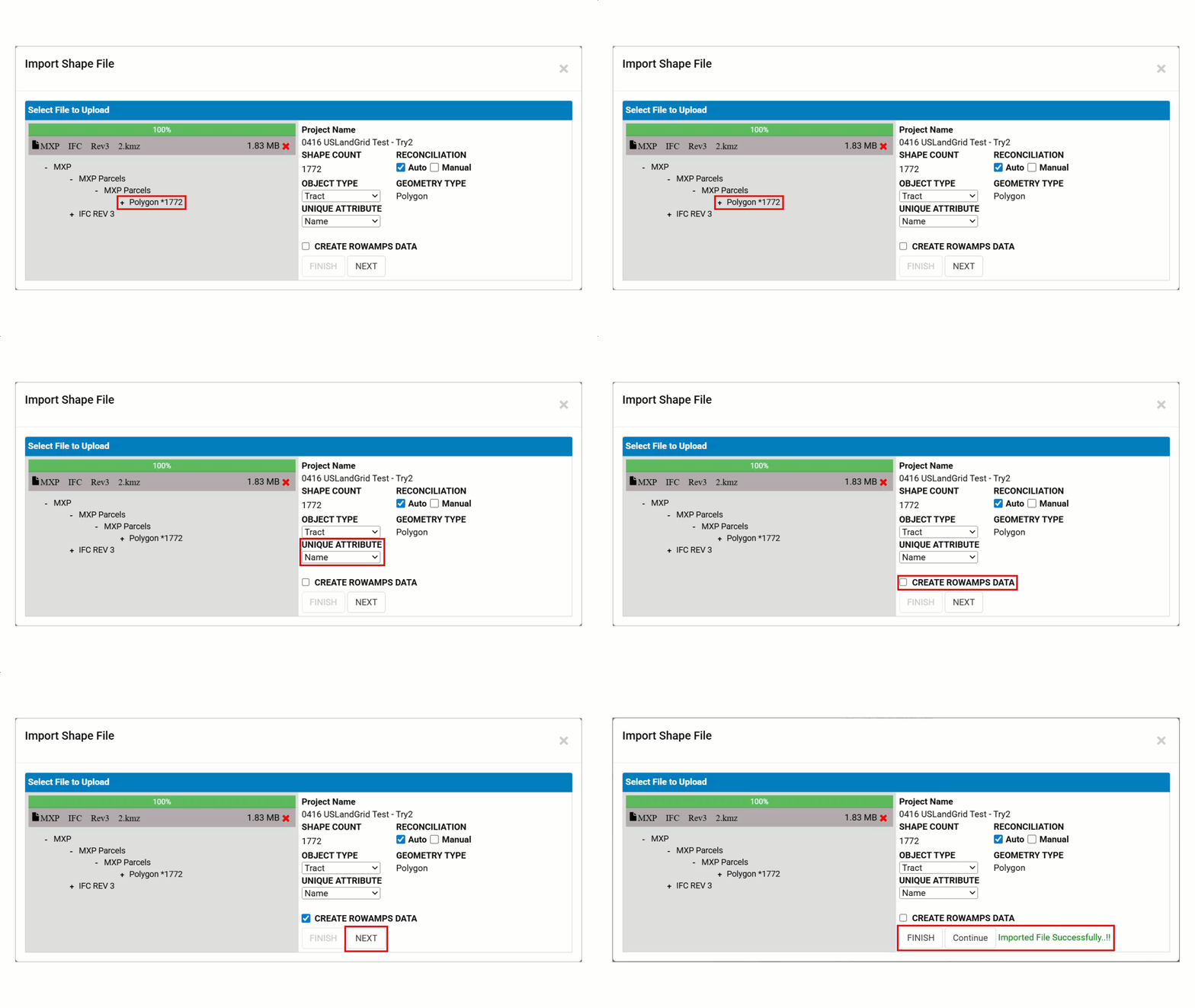
- Step 2: Select shapefile
- Step 3: Choose Object Type as Parcels (Tract)
- Step 4: Select Unique Attribute (Parcel Name)
- Step 5: Enable CREATE ROWAMPS DATA
- Step 6: Click 'Next' button to Import
- Step 7: Once completed, users can finish the process or continue importing shape file.
Related Features/Next Steps:
FAQ/Troubleshooting:
Q: Why are parcels not visible in the system?
A: ROWAMPS data was not created during import.
Q: Can I edit parcel data in GIS?
A: Only basic data is imported; detailed updates are done in Web.
Q: Can I import full parcel details via shapefile?
A: No, only the unique attribute (parcel number) is imported initially.
Questions? Contact us!

Was this article helpful?
That’s Great!
Thank you for your feedback
Sorry! We couldn't be helpful
Thank you for your feedback
Feedback sent
We appreciate your effort and will try to fix the article