Using PDF Templates for Positive Response to Excavator Messages
Purpose/Overview
In this article, you will learn how to use PDF templates when sending a positive response to an excavator in UtiliSphere, including how these templates support ticket data, forms, and sketches.
Navigation Path:
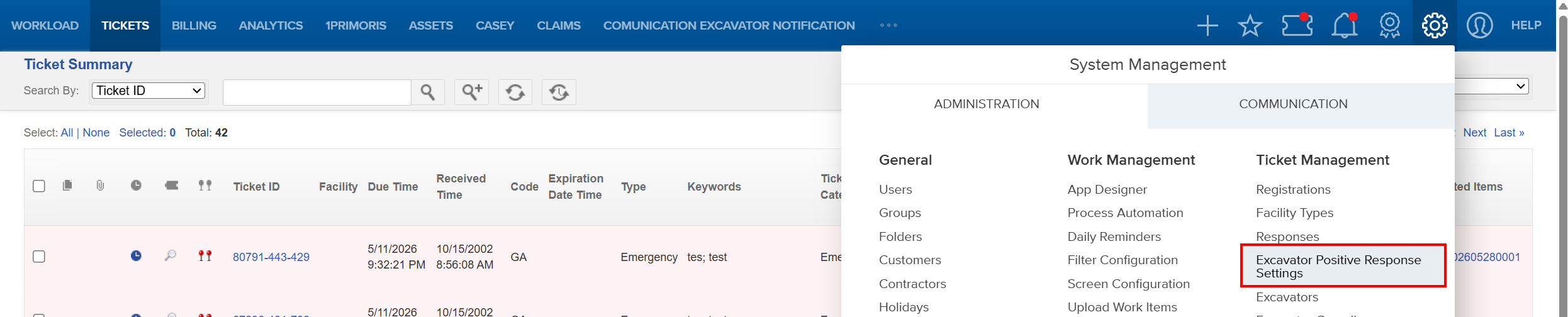
System Management > Administration > Ticket Management > Excavator Positive Response Settings
Things to Know:
- Users must have appropriate administrative permissions to configure Excavator Positive Response settings
- PDF templates are supported in web-based UtiliSphere; behavior may vary depending on browser PDF rendering
- PDF templates must be properly formatted with fillable fields to ensure ticket data populates correctly
- Sketch images and additional forms will only populate if they are available and configured on the ticket
- The final output is dependent on the design and structure of the uploaded PDF template
Key Benefits/Use Cases:
Standardized Communication: Ensure consistent, professional formatting when sending responses to excavators
Consolidated Response Delivery: Combine ticket data, multiple forms, and sketches into a single PDF document
Improved Clarity for Excavators: Provide clear, structured responses that include visuals (sketches) and supporting documentation
How It Works:
Follow these steps to setup or enable:
Upload a PDF Template
- Navigate to Excavator Positive Response Settings.
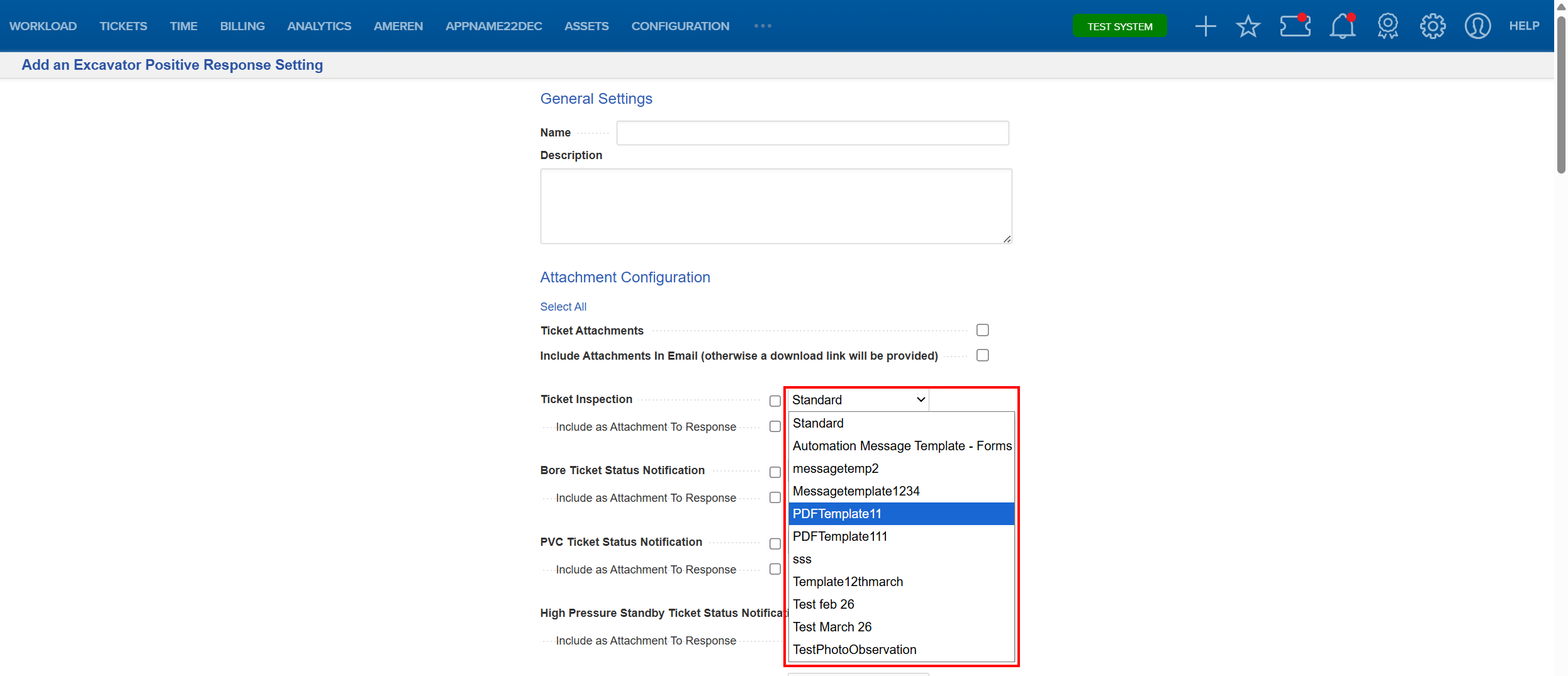
- Add an Excavator Positive Response Setting or update an already existing one, and upload a PDF file as the message template.

- Configure Template Fields. See the Working with Message Templates article for step-by-step instructions on configuring template fields.
- Map fields so UtiliSphere can automatically populate values and select Add to save your selections.
Trigger a Positive Response
- When a positive response is sent, UtiliSphere:
- Populates the PDF with ticket data
- Includes any associated additional forms
- Embeds sketches and sketch legends (if available)
Deliver the Completed PDF
- The system sends the fully populated PDF as part of the response to the excavator.
FAQ/Troubleshooting:
Q: Can I use a PDF instead of an HTML template?
A: Yes. Users can upload and use a PDF as a message template for positive responses to excavators.
Q: Will ticket data automatically populate in the PDF?
A: Yes. Configured fields in the PDF template are automatically populated when the response is generated.
Q: Can multiple forms be included in the response?
A: Yes. The system supports one-to-many relationships, allowing multiple additional forms to be included in a single PDF.
Q: Can sketches and sketch legends be included?
A: Yes. Sketches and their legends are automatically embedded into the PDF when available.
Q: Why is my PDF not displaying correctly?
A: This may be due to improperly configured fields, unsupported formatting, or missing data on the ticket. Review the template design and ensure all required fields are correctly mapped.
Questions? Contact us!

Was this article helpful?
That’s Great!
Thank you for your feedback
Sorry! We couldn't be helpful
Thank you for your feedback
Feedback sent
We appreciate your effort and will try to fix the article