Purpose/Overview
The Permanent Infrastructure feature provides a centralized location to record, manage, and track all physical assets that are either installed on land or planned for installation within a project.
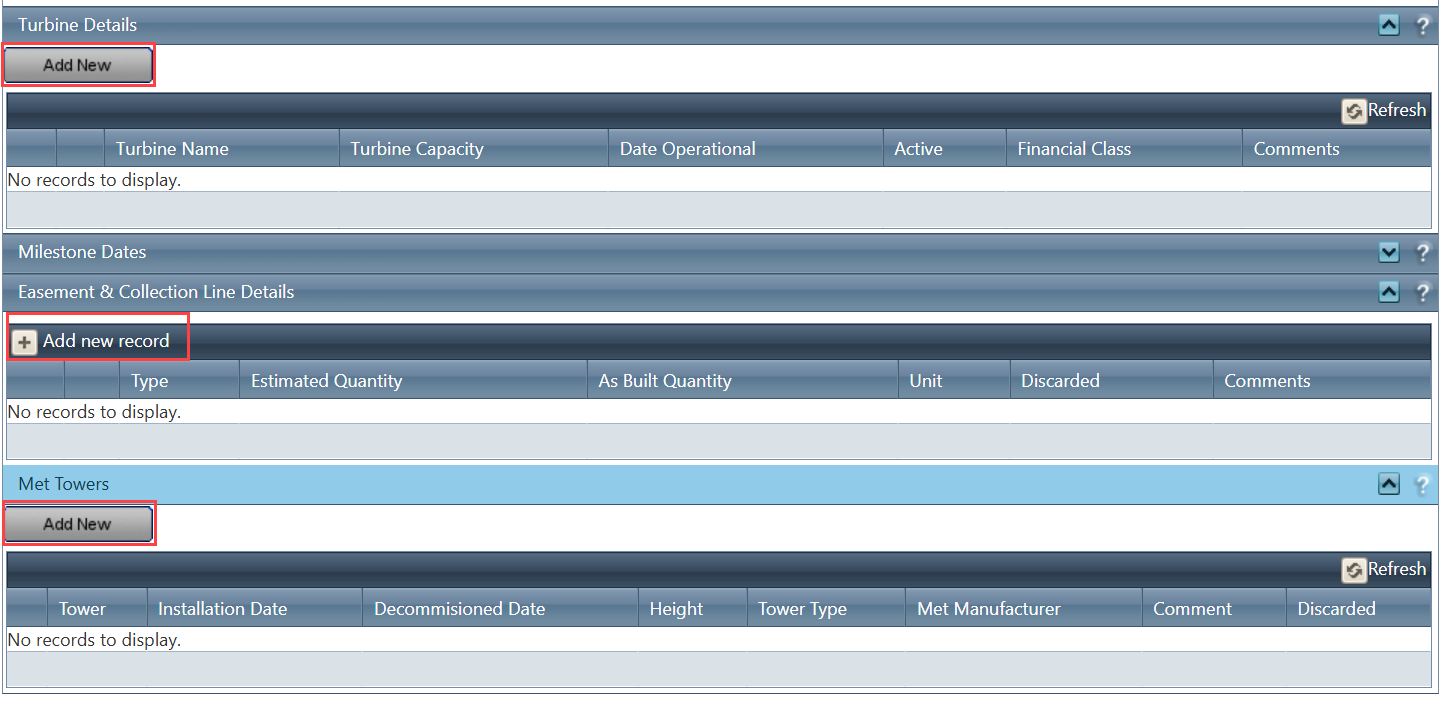
This includes critical infrastructure such as turbines, easement & collection lines, and MET (meteorological) towers. By maintaining this data in one place, users can ensure accurate operational visibility and financial tracking of all on-site assets.
This feature is primarily intended for project managers, land teams, and financial stakeholders, helping them maintain a reliable inventory of infrastructure while supporting reporting, compliance, and payment processes.
Navigation Path:
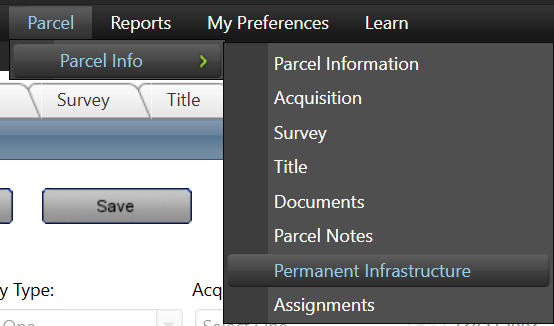
To access this feature: Parcel > Parcel Info > Permanent Infrastructure
Things to Know:
- Users may require appropriate permissions or roles to create, edit, or manage infrastructure records.
- All infrastructure records should be maintained with accurate location and financial details to ensure correct reporting and downstream processes.
- Infrastructure data directly impacts financial categorization and payment tracking, so accuracy is critical.
Key Benefits/Use Cases:
- Asset Tracking: Maintain a complete inventory of all turbines and infrastructure assets installed on a property, ensuring operational transparency and accountability.
- Financial Mapping: Associate infrastructure (e.g., turbines) with financial categories to streamline payment structures and reporting.
- Network Visibility: Track easement and collection lines to clearly understand how energy flows across the project, improving planning and maintenance.
How It Works:
Follow these steps to set up or manage Permanent Infrastructure:
Step 1: Navigate to Parcel > Parcel Info > Permanent Infrastructure.
Step 2: Add a new infrastructure record by selecting the appropriate component type (e.g., Turbine, Easement & Collection Line, or MET Tower).
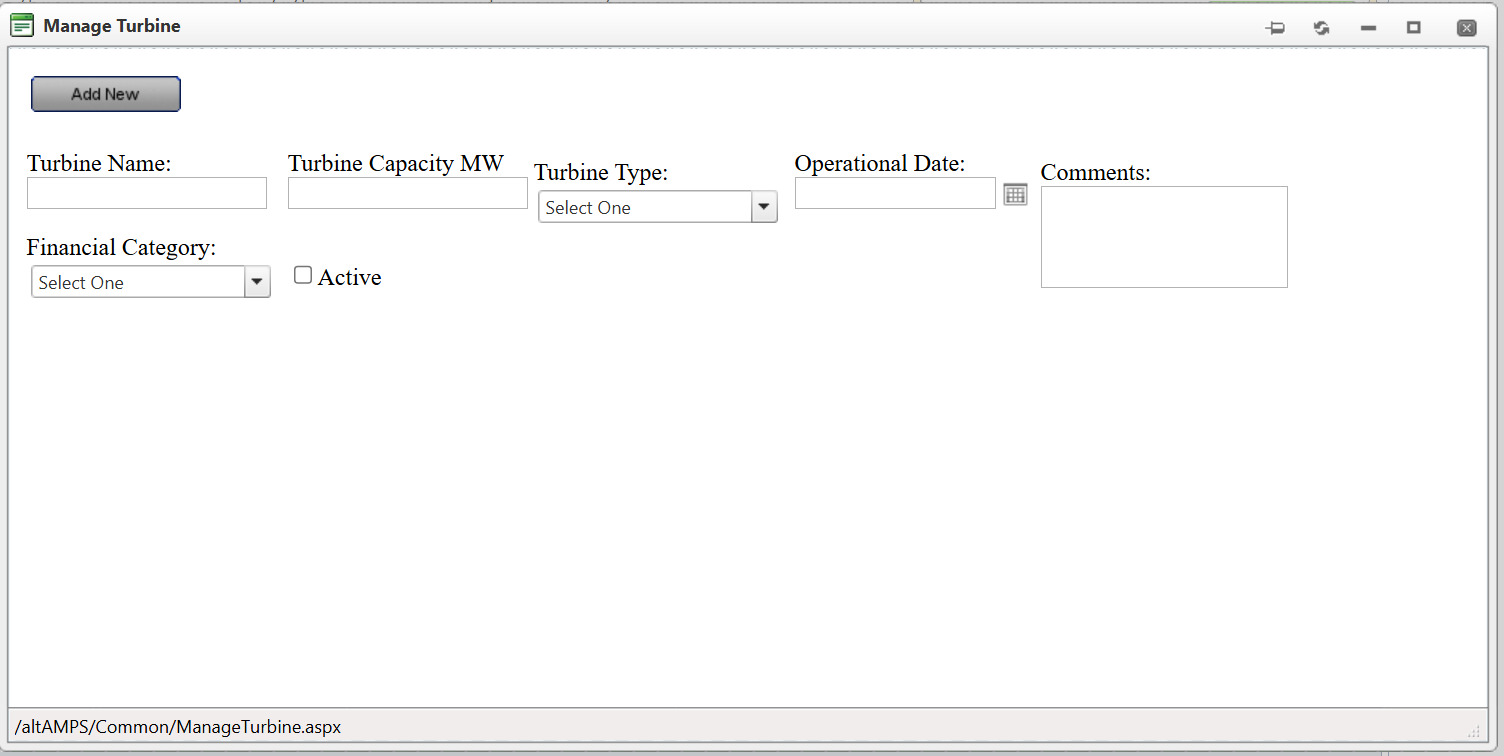
Step 3: Enter relevant details based on the component type:
- For Turbines:
- Turbine Name (unique identifier)
- Capacity (e.g., MW)
- Turbine Type
- Financial Category
- Address and Location Details
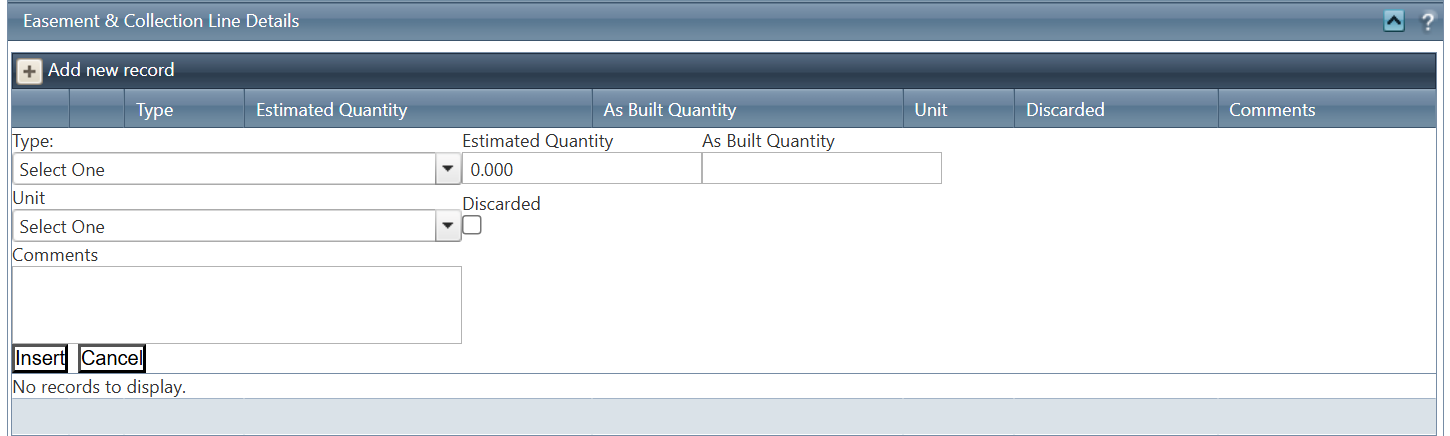
- For Easement & Collection Lines:
- Record details of connections between turbines and substations
- Capture relevant routing or network information
- For MET Towers:
- Record environmental monitoring structures
- Capture details related to weather data collection (e.g., wind speed, temperature)
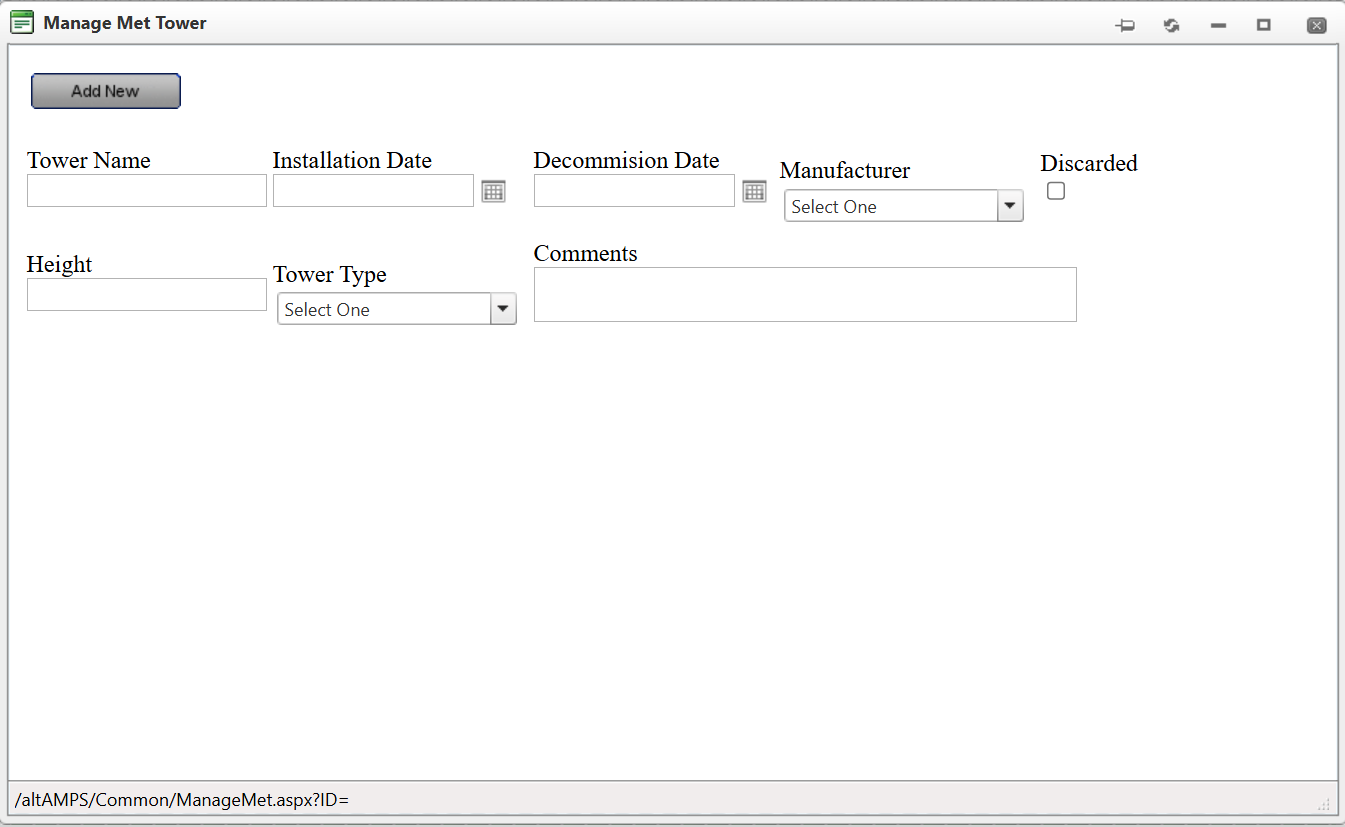
Step 4: Save the record to ensure it is available for operational tracking and reporting.
Related Features/Next Steps:
- Royalty Processing
- Payment Overview
- Parcel Overview
FAQ/Troubleshooting:
Q: Why is it important to assign a Financial Category to a turbine?
A: Financial categories help link infrastructure to payment structures and reporting, ensuring accurate financial tracking.
Q: Can I track infrastructure that is planned but not yet installed?
A: Yes, the feature supports tracking both installed and planned infrastructure.
Q: What happens if location details are incorrect or missing?
A: Missing or inaccurate location data can impact reporting, mapping, and operational decisions, so it is recommended to always provide precise details.
Questions? Contact us!

Was this article helpful?
That’s Great!
Thank you for your feedback
Sorry! We couldn't be helpful
Thank you for your feedback
Feedback sent
We appreciate your effort and will try to fix the article